Different Types of Maps (Grade 10 NSC Matric Tourism): Revision Notes
📚Revision Notes
Different Types of Maps
Maps are essential tools in the tourism industry, helping tourists navigate destinations and tour operators plan journeys. Understanding the various types of maps available and their specific purposes will help you work effectively in tourism and assist travellers in making informed decisions.
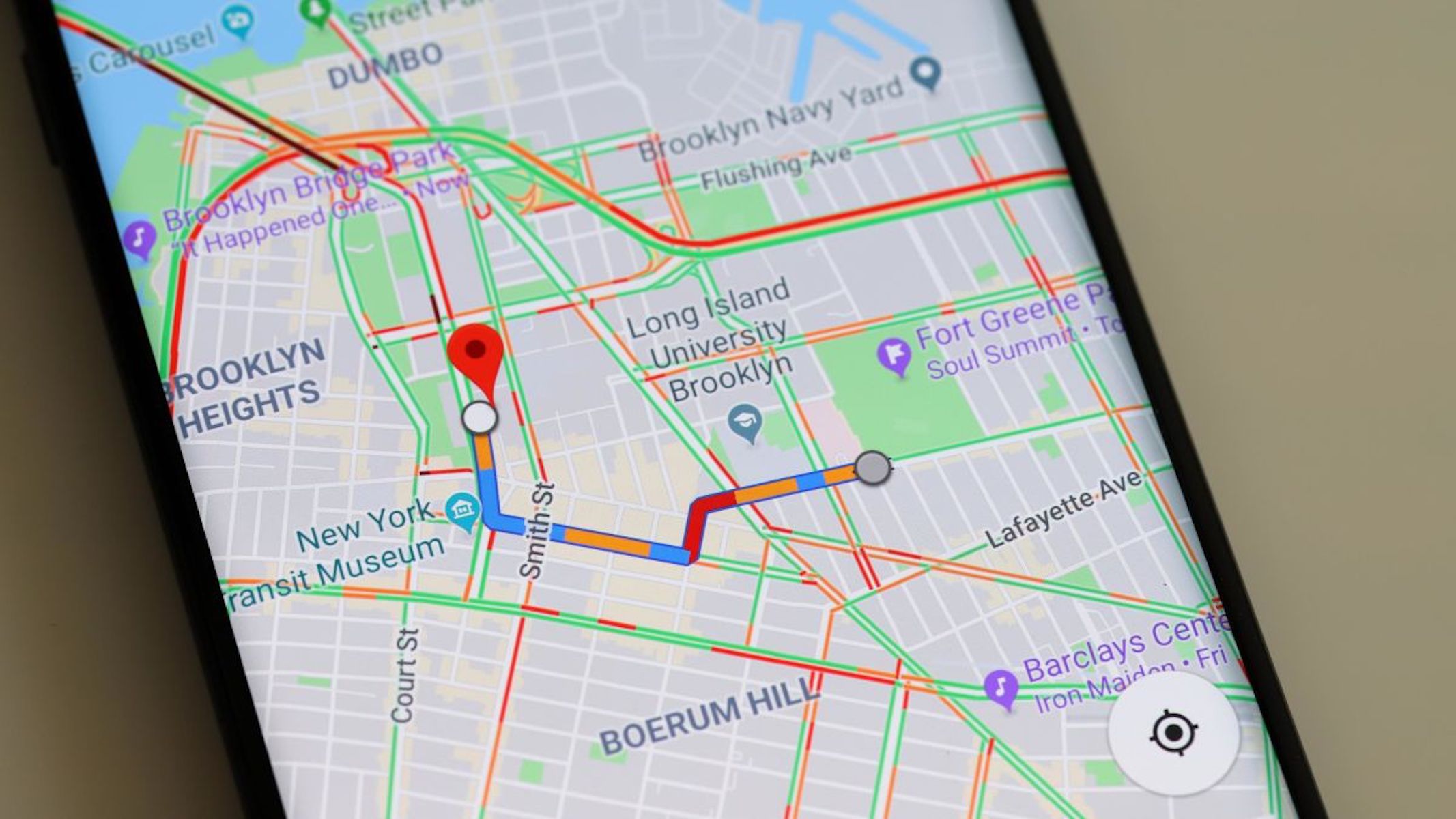
Types of maps and their uses in tourism
Tourism professionals use many different types of maps, each designed for a specific purpose. Knowing which map to use in different situations is an important skill. Let's explore the main categories of maps used in the tourism industry.
General reference maps
General reference maps provide an overview of large geographical areas. These maps can cover entire continents, countries, or regions, making them useful for understanding the broader context of a destination.
Key features and uses:
- Display large-scale areas to show the "big picture" of a region
- Often include thematic information such as population distribution or vegetation patterns
- Show geographical features including roads, railway tracks, rivers, mountains, towns, and dams
- Help tourists understand where a destination fits within a larger area
- Useful for initial trip planning and orientation
Note
General reference maps are particularly helpful when tourists want to see how different destinations relate to each other or when planning multi-destination tours. They provide the broader geographical context that helps travellers understand regional relationships and distances.
Road maps
Road maps are specifically designed to help travellers navigate between different locations by vehicle. These maps focus on the transportation network of an area.
Key features and uses:
- Clearly indicate roads that connect towns and cities
- Show distances between different towns and locations
- Essential for calculating travelling time to destinations
- Help tour operators plan efficient routes
- Allow tourists to estimate fuel costs and journey duration
Example
Practical Application: Route Planning
When planning a tour, road maps are your first tool for working out logistics. They help you answer questions like:
- "How long will it take to drive from Johannesburg to Durban?"
- "What route should we take?"
- "Where are suitable rest stops along the way?"
By consulting a road map, you can identify the most efficient route and provide accurate time estimates to clients.
Street maps
Street maps provide detailed information about urban areas. These maps zoom in to show the layout of towns and cities at street level.
Key features and uses:
- Display detailed town and city street plans
- Show tourist attractions such as parks, museums, and shopping centres
- Help tourists navigate within a destination
- Indicate parking areas, public transport stops, and pedestrian zones
- Essential for tourists exploring cities on foot
Example
Practical Application: City Navigation
A tourist visiting Cape Town's V&A Waterfront would use a street map to:
- Locate specific shops and restaurants within the area
- Find the nearest parking facilities
- Navigate to attractions like the Two Oceans Aquarium
- Identify the quickest walking routes between locations
Political maps
Political maps focus on the human-made divisions of territory. These maps show how land is divided into different administrative regions.
Key features and uses:
- Display the location and borders of countries, states, or provinces
- Show capital cities and major urban centres
- Help tourists understand political boundaries
- Useful when planning international tours that cross borders
- Important for understanding visa requirements and travel documentation
Note
Political maps are particularly relevant when planning tours that visit multiple countries, such as a Southern African safari tour. They help you identify border crossings, understand which countries clients will enter, and plan for the necessary documentation and permits required for international travel.
Physical maps
Physical maps emphasise the natural landscape and physical features of an area. These maps use colour coding to convey information about terrain and elevation.
Key features and uses:
- Show natural and constructed physical features of an area
- Display climatic regions, mountains, rivers, vegetation zones, and dams
- Use a standardised colour system for elevation representation
- Help tourists understand the terrain they'll encounter
- Useful for planning outdoor activities like hiking or water sports
Important
Understanding the Colour System
Physical maps use a standardised colour code:
- Blue represents water (oceans, rivers, lakes)
- Green and yellow indicate low elevations (plains, valleys)
- Orange and brown show high elevations (mountains, plateaus)
This colour coding allows you to quickly assess the terrain and elevation of any area, which is essential for activity planning and advising tourists about physical difficulty levels.
Understanding physical maps helps tour operators plan appropriate activities. For instance, seeing mountainous terrain on a physical map alerts you that hiking tours or scenic cable car rides might be suitable activities.
Specialist maps
Specialist maps focus on one specific type of information. These maps provide detailed, specialised data that general maps don't include.
Key features and uses:
- Display specific, specialised information relevant to particular needs
- Include climate maps showing rainfall patterns and temperature zones
- Show locations of airports and railway lines for transport planning
- Provide geological information or vegetation distribution
- Focus on one theme in great detail
Example
Practical Applications: Choosing the Right Specialist Map
Rainfall Map: Essential when advising tourists about the best time to visit a particular region. For example, consulting a rainfall map for the Kruger National Park region helps you recommend visiting during the dry winter months when game viewing is optimal.
Airport Location Map: Helps plan the logistics of an itinerary by identifying the nearest airports to destinations, allowing you to calculate transfer times and transportation costs accurately.
Vegetation Map: Useful for planning nature tours, as it shows where specific ecosystems and plant communities are located.
Tourist information maps
Tourist information maps are specifically designed for the tourism industry. These maps highlight attractions, facilities, and services that tourists need.
Key features and uses:
- Show specific tourism information about an area
- Display features like national parks, World Heritage sites, and accommodation options
- Indicate establishments such as restaurants and shops
- Show both natural attractions (beaches, mountains) and constructed attractions (museums, monuments)
- Provide detailed layouts of specific tourist sites
Examples of tourist information maps:
- The South Africa National Parks map shows the location of all national parks across the country, helping tourists choose which parks to visit
- Tourist attraction maps focus on specific destinations, such as the Kgalagadi Transfrontier Park map, which provides detailed information about the park's layout and facilities
Note
Tourist information maps are invaluable for tourists as they consolidate all relevant tourism information in one place, making trip planning much easier. Instead of consulting multiple different maps, tourists can use a single tourist information map to find attractions, accommodation, restaurants, and activities all in one resource.
Electronic maps
Modern technology has revolutionised how we use maps. Electronic maps offer interactive features and real-time information that paper maps cannot provide. These digital tools have become essential in contemporary tourism.
Global Positioning System (GPS)
GPS technology has transformed navigation by using satellite data to pinpoint exact locations and provide directions. This technology is now standard in many vehicles and mobile devices.
How GPS works:
- Receives data from satellites orbiting Earth
- Uses this data to generate maps showing latitude, longitude, and altitude
- Provides real-time positioning information
GPS features and applications:
- GPS units can be mounted on a car's windscreen for hands-free navigation
- Destinations can be entered as addresses or as co-ordinates
- Co-ordinates can be given in degrees, minutes, and seconds, or in decimal format
- Specific destination names can also be entered directly
- Advanced GPS systems provide voice directions, telling drivers when to turn
- Many modern cell phones include GPS functionality
Note
Understanding Co-ordinate Formats
GPS systems accept co-ordinates in different formats:
- Degrees, Minutes, Seconds (DMS): 25° 44' 46" S, 28° 11' 17" E
- Decimal Degrees (DD): -25.746111, 28.188056
Both formats represent the same location (Pretoria, South Africa). Decimal format is often easier to use with modern GPS devices and mapping applications.
Important
GPS has made it much easier for tourists to navigate unfamiliar destinations independently, reducing stress and increasing confidence when travelling. This technology has democratised travel, allowing people to explore destinations without relying on tour guides or local knowledge for basic navigation.
Google Earth
Google Earth is a powerful internet-based tool that allows users to explore the world virtually. This application provides a unique way to preview destinations before visiting.
Key features:
- View satellite pictures of any place on Earth in 3D
- Zoom in and out to see different levels of detail
- Access completely free via the internet
Google Street View: Google Street View is an application within Google Earth that provides ground-level imagery:
- Shows street-level photographs of locations
- Allows users to take virtual walks through destinations
- Helps explore landmarks and find shops
- Informs users of road names and their direction relative to your position
- Allows rotation of the view to see different angles
- Enables tourists to preview a destination and compare places before making a decision
Example
Practical Application: Virtual Destination Preview
A tourist planning to book accommodation in Cape Town can use Google Street View to:
Step 1: Search for the hotel's address in Google Earth
Step 2: Activate Street View to see the actual street-level appearance of the hotel and its surroundings
Step 3: Virtually walk through the neighbourhood to assess:
- Whether the area appears safe and well-maintained
- The proximity to restaurants and shops
- The walking distance to attractions
- The overall aesthetic appeal of the location
Step 4: Make an informed booking decision based on this virtual preview
This preview capability is incredibly valuable for tourists who want to see what a destination looks like before committing to visit.
Google Street maps: Google Street maps is another application within Google Earth:
- Offers detailed street maps and route planners
- Used to locate specific destinations
- Provides turn-by-turn directions
- Helps calculate travel time and distance
Other information communication technology in tourism
Beyond maps, various communication technologies support tourism planning and navigation. These include radios, televisions, cell phones, computers, and satellite systems.
Internet applications: The internet provides constantly updated information for tourists:
- Service providers can promote and sell products and services online
- Tourists can research and plan holidays from home
- Access to current information about destinations, weather, and events
Note
The Power of Interactive Maps
Many travel-related websites feature interactive maps that make trip planning more efficient:
- Available on tourism and travel websites
- Allow users to click through different levels of information
- Example: On www.saexplorer.co.za, users can click on a province, then a town, then an attraction to find specific, detailed information
- Make trip planning more user-friendly and efficient
These digital tools have made tourism more accessible and helped tourists make better-informed decisions about their travels.
Summary
Key Points to Remember:
-
Seven main types of physical maps exist: general reference, road, street, political, physical, specialist, and tourist information maps. Each serves a specific purpose in tourism.
-
Match the map to the need: Road maps show routes and distances, street maps reveal urban details, whilst tourist information maps highlight attractions and facilities.
-
Physical maps use colour coding: Blue represents water, green and yellow show low elevations, and orange and brown indicate mountains and high areas.
-
Electronic maps offer interactive features: GPS provides real-time navigation with voice directions, whilst Google Earth and Street View allow virtual exploration of destinations before travelling.
-
Technology enhances tourism planning: Interactive maps on websites and GPS in phones have made it easier for tourists to navigate and plan trips independently, improving the overall travel experience.