Cloud-Based Applications (Grade 11 NSC Matric Computer Application Technology): Revision Notes
📚Revision Notes
Cloud-Based Applications
What are cloud-based applications?
Cloud-based applications are programmes that you access through the internet instead of installing them on your computer's hard drive. With more people using smartphones and having better internet connections, these online applications have become very popular because you can use them anywhere as long as you have internet access.
Popular examples include Gmail (Google's email service) which became more widely used than Microsoft Outlook in 2018. Many companies now offer cloud-based applications to help businesses work more efficiently.
In this section, we'll explore two major cloud-based office suites: Google G Suite and Microsoft Office 365, comparing their features and how you can use them effectively.
Google G Suite
What is Google G Suite?
Google G Suite is a collection of free, online-only office applications that work entirely through your web browser. The main applications include Google Docs (for word processing), Google Sheets (for spreadsheets), and Google Slides (for presentations). These applications work similarly to traditional desktop programmes like Microsoft Office, but they run completely online.
The suite also includes other useful tools like Google Drive for storage, Gmail for email, Calendar for scheduling, and Hangouts for communication.
Note
Google G Suite is completely free to use - you only need a Gmail account to access all these powerful office applications through your web browser.
Advantages of Google Docs and G Suite
Google's cloud-based applications offer several important benefits:
Note
Key Benefits of Google G Suite:
Real-time collaboration: Multiple people can work on the same document simultaneously. You can see changes happening in real-time, making group projects much easier to manage.
Always up-to-date: The software updates automatically without you needing to download or install anything. You'll always have access to the latest features.
Access anywhere: You can open your documents from any device with internet access using your Google account. This means you can start work on your school computer and continue at home on your tablet.
No storage worries: Documents are saved automatically to the cloud, so they don't take up space on your computer's hard drive. This also means your work is automatically backed up.
Offline editing available: While Google Docs works best online, it does offer some offline editing capabilities, though changes only save once you reconnect to the internet.
Disadvantages of Google Docs and G Suite
However, there are some limitations to consider:
Important
Important Limitations to Consider:
Fewer formatting options: Google Docs doesn't have as many advanced word-processing features as traditional desktop software. You might find fewer font options, styles, and formatting tools available.
Security concerns: Since your documents are stored on Google's servers, you don't have complete control over their security. This might be a concern for sensitive or confidential work.
Internet dependency: You need a reliable internet connection to use most features effectively, which can be problematic in areas with poor connectivity.
How to access Google Docs
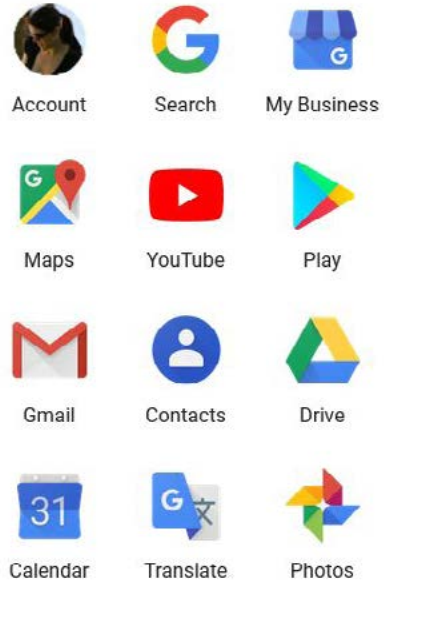
To start using Google Docs, you need a Gmail account. Once you have one, you can access Google applications through the apps menu in your Gmail account or by visiting https://drive.google.com directly.
Example
Getting Started with Google Docs:
Step 1: Create or log into your Gmail account
Step 2: Visit https://drive.google.com or click the apps menu in Gmail
Step 3: From Google Drive, click on the "New" button
Step 4: Select "Google Docs" to create a new document
Step 5: Choose to start with a blank document or use a template
Microsoft Office 365
What is Microsoft Office 365?
Microsoft Office 365 is a subscription-based service that combines traditional desktop Office applications (like Word, Excel, and PowerPoint) with cloud-based features and storage. Unlike Google G Suite, Office 365 isn't free - you need to pay an annual or monthly subscription fee.
Important
Office 365 requires a paid subscription to access its features, unlike Google G Suite which is completely free. You must maintain your subscription to continue using the applications.
The service includes familiar applications like Word, Excel, PowerPoint, and Outlook, plus cloud storage through OneDrive and online versions of these applications that work in web browsers.
Key features and benefits
Office 365 offers the advantage of having both desktop and online versions of applications. This means you can use the full-featured desktop versions when you need advanced tools, but also access simplified online versions when working from different devices.
Note
Office 365 Flexibility:
You can share this software across multiple devices you own, such as your laptop, smartphone, and tablet, making it flexible for different working situations. The applications include more advanced features than Google's alternatives, but you need to maintain your subscription to continue using them.
Comparison between Google G Suite and Microsoft Office 365
| Feature | Google G Suite | Microsoft Office 365 |
|---|---|---|
| Cost | Free, online-only office suite | Subscription-based software service |
| Applications | Google Docs, Sheets, Slides, Gmail, Drive, Calendar, Keep, Hangouts | Word, Excel, PowerPoint, Outlook, OneDrive, OneNote, Skype |
| Software type | Cloud-based applications only | Combines traditional desktop software with cloud-based applications |
| Updates | Always up-to-date, no downloads needed | Includes more features but requires paid subscription that needs annual renewal |
| Document creation | Can create documents similar to traditional desktop office suites | Full desktop functionality plus online versions |
Both platforms offer automatic updates and cross-platform compatibility, but they take different approaches. Google focuses on simplicity and collaboration, while Microsoft provides more comprehensive features for users willing to pay for them.
Choosing the right platform
When deciding between Google G Suite and Microsoft Office 365, consider these factors:
- Budget: Google G Suite is free, while Office 365 requires ongoing payments
- Feature requirements: If you need advanced formatting and features, Office 365 might be better
- Collaboration needs: Google G Suite excels at real-time collaboration
- Device usage: Both work across multiple devices, but in different ways
- Internet connectivity: Both require internet, but Office 365 offers more offline capabilities through desktop applications
Summary
Key Points to Remember:
- Cloud-based applications run through the internet instead of being stored on your device
- Google G Suite is free and focuses on collaboration and simplicity
- Microsoft Office 365 is subscription-based and offers more advanced features
- Both platforms automatically save and back up your work to the cloud
- You need reliable internet access to use these applications effectively