Airport Technology (Grade 11 NSC Matric Tourism): Revision Notes
📚Revision Notes
Airport Technology
Airports use a wide range of technology to make travel easier, faster and safer for passengers. These technologies help with everything from protecting luggage to preventing crime and disease. Understanding airport technology is important for anyone working in the tourism industry, as it affects the passenger experience from arrival at the airport through to departure.
Note
Airport technology serves three main purposes: enhancing passenger convenience, improving operational efficiency, and ensuring safety and security. Each technological system at an airport contributes to at least one of these goals.
Pre-flight and post-flight facilities at airports
Modern airports offer various technological facilities to assist passengers before they board their flights and after they land. These facilities improve convenience and security for travellers.
Baggage wrapping equipment
Baggage wrapping equipment is a service available at many airports to protect passenger luggage. This equipment wraps suitcases and bags in strong stretch plastic, creating a protective layer around the baggage. This protection serves several important purposes. It prevents anyone from placing items into your bag or removing items from it without you knowing. The plastic wrap also protects against moisture and damage that can occur from rough handling by airport staff or from conveyor belts. Additionally, it prevents zips from popping open during transport, which could cause your belongings to spill out.
Passengers can choose to have their bags wrapped before checking them in. This service is particularly useful for expensive luggage or bags containing fragile items.
Note
Baggage wrap equipment wraps baggage in strong stretch plastic to protect the baggage against something being placed in or removed from the bag, moisture, damage from rough handling, zips popping open and damage on conveyor belts.
Information display boards
Airports use several types of digital display screens to provide important information to passengers throughout the terminal.
Flight Information Display Screens (FIDS) are large electronic screens positioned throughout the airport. These screens show real-time information about all flights, including arrival and departure times, boarding gate numbers, and the current status of each flight. The status might show whether a flight is on time, boarding, delayed, or cancelled. Passengers should regularly check these screens as gate numbers and times can change.
Important
Flight information display screens (FIDS) show the flights, arrival and departure times, boarding gates, and the status of each flight (for example whether it is boarding, delayed or cancelled). Always check FIDS regularly as gate numbers and times can change without prior notice.
Public information display screens help passengers navigate the airport by indicating where to find various facilities. These screens show the locations of toilets, nursing mothers' rooms, restaurants, shops, check-in counters, and boarding gates. This helps passengers find what they need quickly, especially in large airports.
Baggage claim information display screens are located in the arrivals area. These screens tell passengers which carousel their flight's baggage will appear on, making it easier to collect checked luggage after landing.
Touch-screen information systems
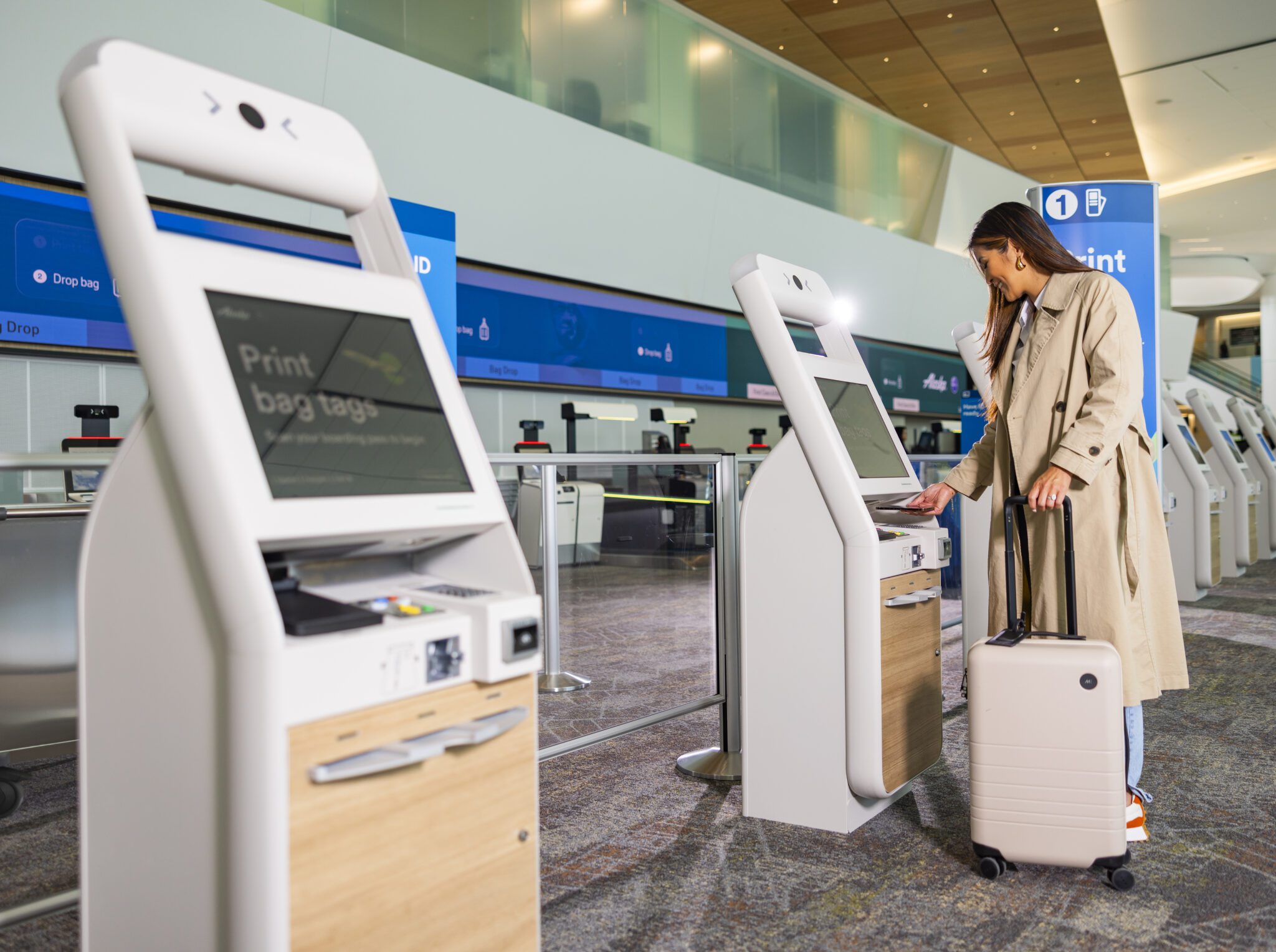
Many airports now have interactive touch-screen kiosks positioned around the terminal. These systems allow passengers to look up various types of information by themselves. Passengers can use these screens to find flight information, calculate how long it will take to walk to their boarding gate, view maps of the terminal, and read descriptions of restaurants, shops and traveller services available in the airport. These systems put helpful information at passengers' fingertips without needing to ask airport staff.
Technology to improve airport security
Airport security is a top priority, and airports use various types of technology to prevent terrorism, smuggling, and other criminal activities. These technologies help keep all passengers safe.
Important
Security technology at airports operates on multiple levels: detection (finding prohibited items), verification (confirming passenger identity), and monitoring (tracking health and safety risks). Understanding these layers helps explain why passengers go through multiple checks.
The public address system
The public address system is the audio system used throughout the airport to make announcements. Airport staff use this system to announce when a flight is boarding, to call passengers who are late to their gate, and to broadcast important safety information. The system also plays automated messages that remind passengers not to leave their bags unattended, as unattended luggage poses a security risk.
Metal detectors
Metal detectors are an essential part of airport security screening. There are different types used at security checkpoints. Archway metal detectors are the large frames that passengers walk through at security. Handheld metal detectors are wand-shaped devices that security officers can use for more detailed checks. X-ray scanners are also used at security checkpoints to check whether passengers are carrying any metal objects that could be weapons or other prohibited items. If the detector beeps, security staff will investigate further to determine if the metal object is safe or dangerous.
X-ray security scanners
X-ray security scanners are large machines that hand luggage passes through at security checkpoints. These scanners use X-ray technology to create images of the contents inside bags without opening them. Security staff view these images on screens and can see organic materials (like food or liquids), inorganic materials (like plastics or ceramics), and metal objects. This technology helps detect prohibited items such as weapons, explosives, or excessive liquids that passengers are not allowed to carry on board.
Note
X-ray security scanners are used to check hand luggage for organic, inorganic and metal objects. Different materials appear in different colours on the security screen, making it easier for operators to identify suspicious items quickly.
Thermal body scanners
Thermal body scanners are health screening devices used at airports, especially during disease outbreaks. These scanners register the body temperature of passengers as they pass by. If a passenger's temperature is above 38°C, the scanner alerts security officials because this indicates the person has a fever. This technology helps identify passengers who may have contagious diseases such as swine flu, preventing them from infecting other passengers. During health emergencies like the COVID-19 pandemic, thermal scanners became very common at airports worldwide.
Important
Thermal scanners register body temperatures of more than 38°C, which indicates a person has a fever. This technology is crucial during disease outbreaks as it provides a quick, non-invasive way to screen large numbers of passengers for potential health risks.
Example
Practical Application: Thermal Scanning During COVID-19
During the COVID-19 pandemic, airports worldwide implemented thermal scanning at entry points:
Step 1: Passengers walk through a designated screening area
Step 2: Thermal cameras automatically scan each person's body temperature
Step 3: If temperature exceeds 38°C, an alert sounds
Step 4: Affected passengers are directed to health officials for further assessment
Step 5: This process helps prevent the spread of infectious diseases while maintaining efficient passenger flow
Biometric scanners
Biometric scanners represent advanced passport control technology. These scanners are used at automatic immigration gates and work with special biometric passports.
Biometric passports contain a chip that stores the holder's personal details. This includes information such as the person's name, date of birth, place of birth, nationality, and scans of their physical characteristics like fingerprints and iris patterns.
When a passenger approaches an automatic gate, the biometric scanner captures a live image of the passenger's face and compares it with the facial image stored on the chip in their passport. This verification process is quick and accurate, allowing passengers to pass through immigration without speaking to an officer. The technology makes border control more secure because it's very difficult to use someone else's biometric passport.
Note
Biometric verification uses unique physical characteristics that cannot be easily forged or transferred. The most common biometric data used at airports includes facial recognition, fingerprints, and iris scans. These create a highly secure identification system.
Personal digital assistants and smartphones
Personal digital assistants (PDAs) and smartphones have become essential tools for modern travellers. These devices allow passengers to access websites and apps for booking and managing their air travel.
Passengers can use their devices to visit websites like iTravel to search for flights, compare prices, and make bookings. They can pay for flights online using secure payment systems. After booking, passengers receive electronic tickets (e-tickets) directly to their device.
Smartphones also enable online check-in, usually available 24 hours before the flight. During check-in, passengers can choose their preferred seat and receive a digital boarding pass on their phone, eliminating the need for paper documents.
Additionally, passengers can use their devices to rent a car at their destination airport, arrange accommodation, or book other travel services. This technology gives travellers more control over their journey and saves time at the airport.
Note
The shift to mobile technology has transformed the passenger experience. Most airlines now offer mobile apps that function as a complete travel companion, providing real-time updates, gate changes, baggage tracking, and even in-flight entertainment options.
Electronic information
Airports and airlines have embraced digital technology to streamline processes and reduce paperwork. Electronic information systems are now central to modern air travel.
The Internet plays a crucial role in air travel. Tourists use online platforms to find available flights, compare options, book tickets, and receive electronic tickets. E-tickets are sent by email and stored on smartphones or can be printed at home. Boarding passes can also be issued online, either as printable documents or digital passes stored on mobile devices.
Online check-in is available 24 hours before a flight's departure. This service allows passengers to check in from home or anywhere with Internet access, select their seats, and obtain their boarding pass before arriving at the airport. This saves time at the terminal, as passengers can proceed directly to security or baggage drop-off.
Important
Online check-in is a time-saving convenience that all passengers should use. By checking in online 24 hours before departure, you can:
- Choose your preferred seat before they fill up
- Avoid long queues at the airport check-in counters
- Proceed directly to security or baggage drop-off
- Receive notifications about any flight changes
Electronic passports, also known as e-passports, represent a major advancement in travel documents. These passports contain a Radio-Frequency Identification (RFID) chip embedded in the cover or pages. The RFID chip stores all the same information that appears in traditional paper passports, but in digital form. This includes personal details, photograph, and biometric data like fingerprints. Electronic passports are more secure than traditional passports because the chip is difficult to forge or alter. They also work with biometric scanners at automatic immigration gates, speeding up the border control process.
Note
Electronic passports, also called e-passports, contain a Radio-Frequency Identification (RFID) chip, which contains all the information that non-electronic passports contain. The chip is protected by encryption, making e-passports one of the most secure travel documents in the world.
Example
How E-Passports Work at Automatic Gates
Step 1: Passenger approaches the automatic immigration gate Step 2: E-passport is placed on the reader, which reads the RFID chip Step 3: Biometric scanner captures the passenger's live facial image Step 4: System compares the live image with the photo stored on the chip Step 5: If verification is successful, the gate opens automatically Step 6: Passenger proceeds through without manual document checking
This entire process typically takes less than 30 seconds, significantly faster than traditional manual passport control.
Important
Exam tip: In examinations, you may be asked to identify different types of airport technology from pictures or descriptions, explain their purposes, or discuss how they improve security or passenger experience. Make sure you can:
- Distinguish between different types of scanners (metal detectors, X-ray, thermal, biometric)
- Understand what each technology is used for and its specific benefits
- Explain the difference between FIDS and other display systems
- Describe how RFID technology works in e-passports
Summary
Key Points to Remember:
-
Airports use various technologies to facilitate travel, including baggage wrapping equipment, information display systems, and touch-screen kiosks that help passengers navigate and access services.
-
Security technology is essential at airports and includes metal detectors, X-ray scanners (for luggage), thermal scanners (for health screening), and biometric scanners (for passport verification).
-
FIDS (Flight Information Display Screens) show real-time flight information including times, gates, and flight status that passengers must check regularly.
-
Electronic systems have transformed air travel, allowing passengers to book online, check in 24 hours before flights, receive e-tickets, and use e-passports with RFID chips for faster immigration processing.
-
Personal digital devices like smartphones enable passengers to manage their entire journey, from booking to boarding, making air travel more convenient and efficient.