Computers and ICT (Grade 10 NSC Matric Computer Application Technology): Revision Notes
📚Revision Notes
Computers and ICT
What is a computer?
A computer is an electronic machine that takes in data, processes it, and transforms it into useful information. Once this information is created, the computer can store it or send it to other people or places where it can be read or used.
Note
Think of a computer like a very smart assistant that can handle information much faster than humans can. It follows a process similar to how we handle information in our daily lives - we receive information, think about it, and then do something with it.
The four basic functions of computers
Every computer, no matter how simple or complex, performs four essential functions that work together in what we call the information-processing cycle:
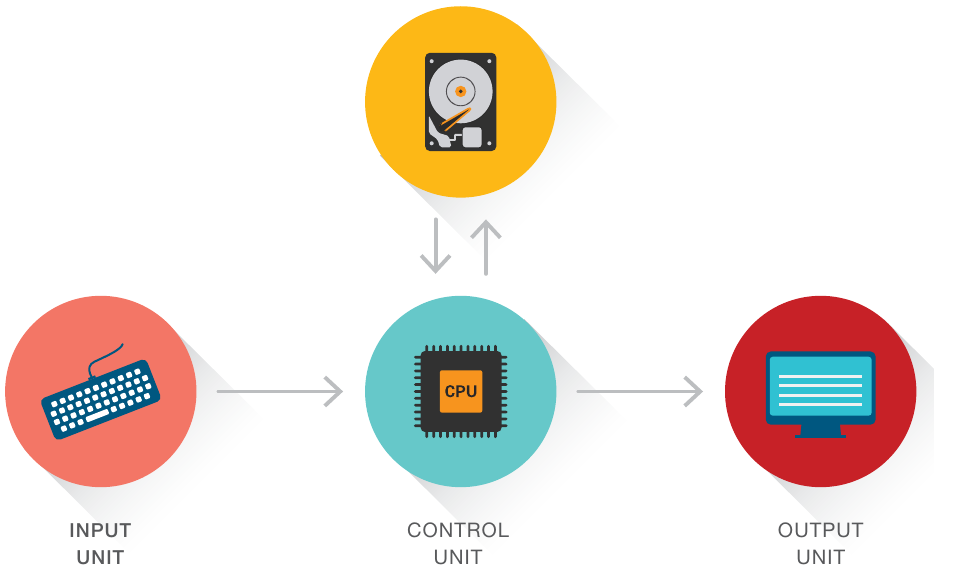
Important
The Four Essential Computer Functions:
-
Input - This is how data gets into the computer. Examples include typing on a keyboard, clicking a mouse, or speaking into a microphone.
-
Storage - The computer needs somewhere to keep data and information. This can be temporary storage (like RAM) or permanent storage (like a hard drive).
-
Processing - This is where the "thinking" happens. The computer manipulates and works with the data to turn it into useful information.
-
Output - The computer shares the results with you through devices like monitors, printers, or speakers.
These four functions work together continuously, and understanding them helps us understand how any computer system operates.
Computer system components
The computer system architecture shows us how different parts work together. At the heart of any computer system is the CPU (Central Processing Unit), which acts as the "brain" of the computer.
Control unit
The control unit coordinates and manages all the computer's operations.
Note
It's like a conductor in an orchestra, making sure everything happens at the right time and in the right order.
Arithmetic logic unit (ALU)
The ALU is responsible for performing mathematical calculations and logical operations on the data.
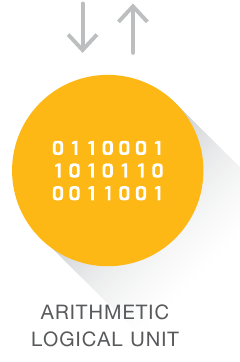
The ALU works with binary code (1s and 0s) to process information. It can perform tasks like adding numbers, comparing values, and making logical decisions.
Hardware vs software
For a computer to work properly, it needs both hardware and software. These two components depend on each other completely.
Hardware
Hardware refers to the physical parts of a computer - the components you can actually touch and see. Think of hardware as the "equipment" that makes up the computer.
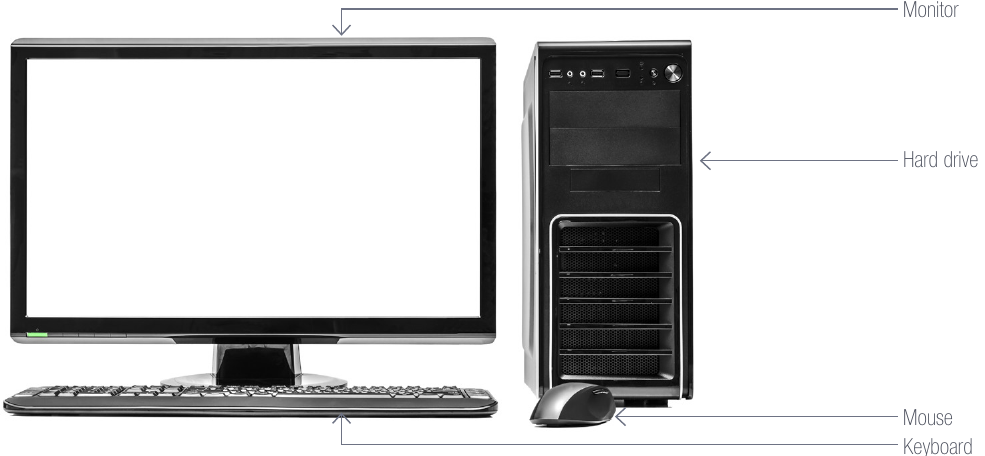
Examples of hardware include:
- Input devices: Keyboard and mouse for entering data
- Output devices: Monitors, printers, and speakers for displaying results
- Storage devices: Hard drives and flash drives for keeping information
- Communication devices: Routers for connecting to networks
Software
Software is more commonly known as apps or programmes. It consists of instructions written in computer language that tell the computer what to do.
Note
Without software, hardware would be like a car without a driver - it has all the parts but doesn't know what to do.
Software includes everything from your operating system to games, word processors, and mobile apps.
Key definitions you should know
Here are important terms with their definitions:
| Term | Definition |
|---|---|
| Data | Text, numbers, and figures that computers use as input |
| Hard disk | A storage device that keeps information permanently |
| Input | Instructions or data that the computer receives |
| GIGO | "Garbage In, Garbage Out" - poor input leads to poor output |
| Output | The information that a computer produces and shares |
| Hardware | The physical components that make up the computer |
Important principles
Important
GIGO Principle: This stands for "Garbage In, Garbage Out." It means that if you put poor quality or incorrect data into a computer, you'll get poor quality or incorrect results out. The computer can only work with what you give it, so the quality of your input directly affects the quality of your output.
Hardware-Software Relationship: Remember that hardware and software are completely dependent on each other. Hardware without software is useless, and software without hardware has nowhere to run.
Summary
Key Points to Remember:
- Computers are electronic devices that convert data into useful information through four basic functions
- All computers perform input, storage, processing, and output in a continuous cycle
- The CPU is the brain of the computer, containing the control unit and ALU
- Hardware is the physical equipment you can touch, software is the instructions that make it work
- The GIGO principle reminds us that good input is essential for good output
- Hardware and software must work together for a computer to function properly