Extended Hardware Concepts (Grade 10 NSC Matric Computer Application Technology): Revision Notes
📚Revision Notes
More About Input Devices
Input devices are essential hardware components that allow you to enter data into or interact with your computer. Understanding the different types of input devices will help you choose the right tools for various computing tasks. This section explores six main categories of input devices that you'll encounter in everyday computing.
(282).jpg)
Introduction to input device categories
Modern computing relies on various types of input devices, each designed for specific purposes:
- Pointing devices - Control cursor movement on screen
- Digital cameras - Capture and store digital images
- Scanning and reading devices - Convert physical information to digital format
- Video input devices - Record moving images and sound
- Audio input devices - Capture and process sound
- Biometric input devices - Use physical characteristics for authentication
Note
Each category serves different computing needs, and many modern devices combine multiple input methods for enhanced functionality.
Pointing devices
Pointing devices help you control the cursor's movement on your screen, making it possible to interact with graphical user interfaces. These devices are essential for navigating through software applications, selecting items, and performing various computer operations.
Touch pad
Touch pads are small rectangular surfaces commonly found on laptops and notebooks. You simply move your finger across the pad to control the cursor position. While laptops don't require additional pointing devices, touch pads offer the most efficient way to navigate without carrying extra equipment.
Trackball
A trackball functions like an "upside down mouse" and remains stationary on your desk. Instead of moving the entire device, you rotate the ball with your fingers to move the cursor. This design makes trackballs particularly useful in situations where desk space is limited.
Touch screen
Touch screens revolutionise how we interact with devices by allowing direct finger contact with the display. Most modern smartphones and tablets feature touch screens, and this technology is increasingly common in laptops and desktop computers as well.
Stylus
A stylus resembles a pen and provides precise control for drawing, writing, or selecting objects on screens. This tool is especially popular among digital artists and designers who need accuracy when working on graphics tablets or touch-enabled devices.
Joystick
Joysticks serve as specialised input devices primarily designed for gaming. They feature multiple buttons that correspond to specific game functions, such as character movement and action commands. Modern game controllers often include additional features like vibration feedback.
Digital cameras
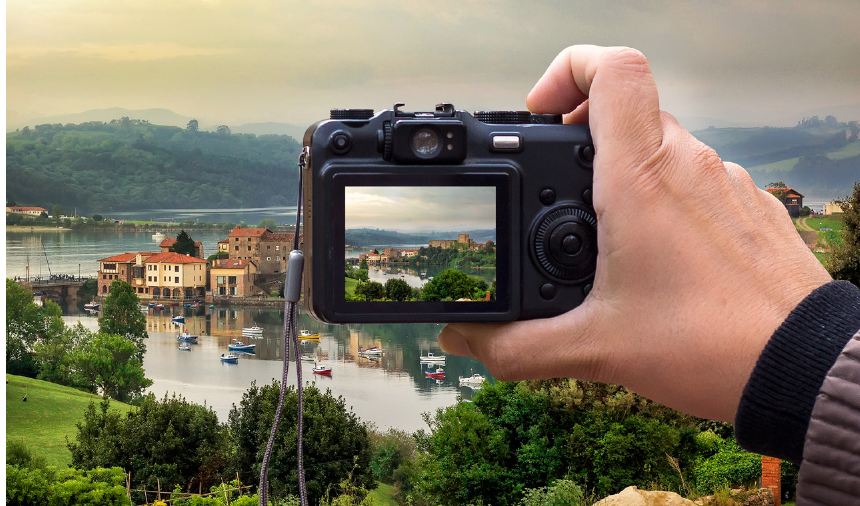
Digital cameras capture and store images electronically rather than using traditional film. These devices save photographs directly onto memory cards, making it easy to transfer images to computers for editing, storage, or sharing.
Note
Key Advantages of Digital Cameras:
Digital cameras offer several advantages over traditional film cameras. They provide immediate image preview, don't require film processing, and allow you to take countless photos limited only by your memory card capacity. Many digital cameras also record video footage.
Scanning and reading devices
These devices convert physical documents, images, or coded information into digital formats that computers can process and store.
Scanning devices
Scanning devices digitise physical documents and images, transforming them into electronic files that you can edit, store, or share digitally.
| Scanning Device | Description |
|---|---|
| Flatbed scanner | Creates electronic files from scanned documents or pictures, storing them in the computer's memory |
| Multi-functional printer | Combines four functions in one device: scanning, emailing, copying, and printing |
| Handheld barcode scanner | Commonly used in supermarkets and warehouses, uses laser beams to decode vertical barcode patterns |
| Mouse scanner | Small, portable scanner suitable for text scanning, though not recommended for photographs due to resolution limitations |
| Smartphone | Modern phones can function as barcode and QR code scanners using their built-in cameras and appropriate applications |
Reading devices
Reading devices interpret various types of coded information and convert it into digital data that computers can process.
Radio frequency identification (RFID) readers
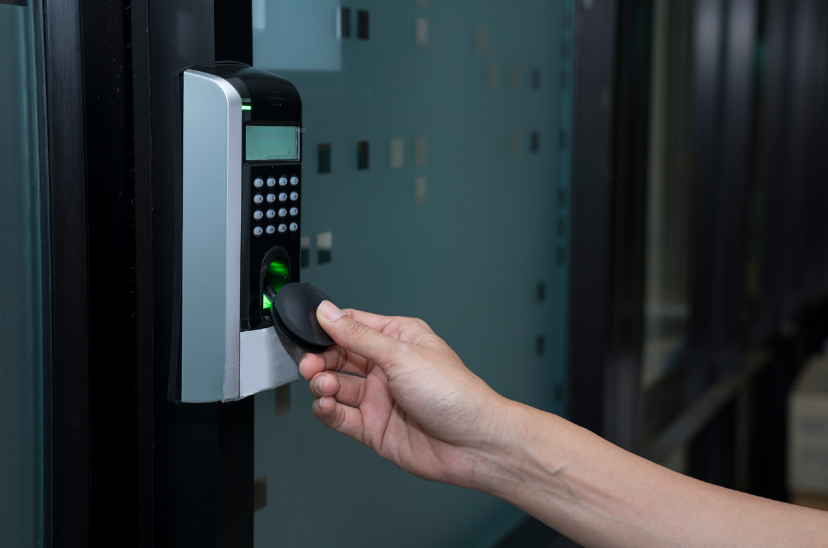
RFID technology uses radiowaves to automatically identify and track tags attached to objects. These tags work within approximately five metres of the reader, making them incredibly versatile for tracking purposes.
RFID applications include:
- Rice-sized tags inserted under animal skin for identification
- Screw-shaped tags for identifying trees or wooden items
- Credit card-shaped tags for access control systems
- Anti-theft tags attached to merchandise
- Heavy-duty tags for tracking shipping containers and large machinery
| Reader | Description |
|---|---|
| Magnetic strip reader | Scans information from magnetic strips on bank cards, reading account numbers, cardholder names, expiry dates, and PIN numbers |
| Barcode scanner | Electronic device that decodes information in traditional black and white barcodes, commonly used in shops and point-of-sale systems |
| QR code reader | Processes Quick Response codes containing item information, often accessed through smartphone applications for payments and information retrieval |
Optical character recognition (OCR) scanners
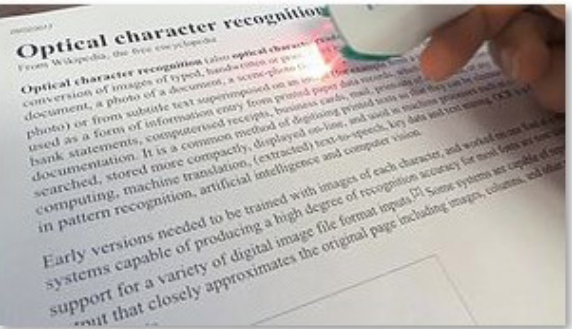
OCR scanners represent advanced scanning technology that recognises printed, handwritten, or typed text and converts it into machine-readable digital text. This technology proves invaluable for converting printed documents into editable word processing files, organising mail delivery systems, and digitising historical documents.
Important
The primary advantage of OCR technology lies in its ability to transform static printed text into editable digital content, eliminating the need for manual retyping and significantly reducing transcription errors.
Video input devices
Video input devices capture moving images and sound, enabling you to record media for storage or real-time communication purposes.
| Device | Description |
|---|---|
| Video camera | Professional recording device that captures and stores videos on memory cards, with connectivity options for computers and televisions for playback and transfer |
| Web cam | Compact camera designed for capturing still images or video footage, either built into computers or connected via USB cable, primarily used for video calls and online meetings |
Note
Video cameras offer high-quality recording capabilities and extensive storage options, making them suitable for professional video production. Web cameras prioritise convenience and real-time communication, perfect for video conferencing and online content creation.
Audio input devices
Audio input devices enable voice communication and sound recording, essential for multimedia applications and online communication.
| Device | Description | Uses |
|---|---|---|
| Microphone | Converts sound waves into digital format for computer storage and playback, suitable for adding audio to presentations or music mixing | Recording voice for podcasts and audio broadcasts |
| Voice recorder | Captures and stores voice messages for later playback or transmission | VoIP (Voice over Internet Protocol) communication and gaming team communication |
Voice recognition
Voice recognition technology interprets spoken instructions and responds accordingly. Most computers include built-in speech recognition programmes, such as Windows Speech Recognition, while smartphones feature advanced voice recognition capabilities.
Note
This technology saves time by allowing voice commands instead of typing, making computers more accessible to users with physical limitations. Modern applications include virtual assistants and hands-free device control.
Biometric input devices
Biometric devices use unique physical characteristics to verify identity, providing secure authentication for various applications.
| Device | Description and Uses |
|---|---|
| Fingerprint scanner | Verifies identity by comparing fingerprints with stored data, commonly integrated into smartphones and used for authentication that cannot be stolen, forgotten, or borrowed |
| Retina scanner | Uses unique blood vessel patterns in the eye's retina for identification, typically employed in high-security environments like research laboratories, banks, and government facilities |
| Iris scanner | Identifies users through coloured iris tissue patterns around the pupil, offering high accuracy for security applications in banks, smartphones, and border control systems |
| Facial recognition scanner | Matches facial features to stored templates using measurements of nose, cheekbones, and eye socket dimensions, widely used in security systems and social media platforms for user identification |
Important
Security Advantages of Biometric Technology:
Biometric technology offers significant security advantages because these physical characteristics are unique to each individual and cannot be easily replicated or shared. However, experts predict that advancing technology may eventually challenge the reliability of some biometric methods.
Summary
Key Points to Remember:
- Pointing devices control cursor movement and include touch pads, trackballs, touch screens, styluses, and joysticks for different computing needs
- Scanning and reading devices convert physical information to digital format, including flatbed scanners, RFID readers, barcode scanners, and OCR technology
- Digital cameras capture images electronically and store them on memory cards for easy computer transfer and editing
- Audio and video devices enable multimedia input through microphones, voice recorders, video cameras, and web cameras for communication and content creation
- Biometric devices provide secure authentication using unique physical characteristics like fingerprints, retinas, irises, and facial features