More About Output Devices (Grade 10 NSC Matric Computer Application Technology): Revision Notes
📚Revision Notes
More About Output Devices
Introduction to output devices
Output devices are essential computer components that allow you to receive information from your computer. They work by sending information from a computer to another device or directly to you as the user. Understanding these devices is crucial for effective computer use and troubleshooting.
In this section, we'll explore several important types of output devices, including audio devices like headsets and speakers, multi-functional devices that save space, and data projectors that display information on large screens.
Note
Output devices form a critical bridge between digital data stored in your computer and the human senses, converting electronic signals into formats we can perceive - whether through sound, vision, or other sensory experiences.
Audio output devices
Audio output devices play a vital role in converting digital data stored on your computer into sound waves that you can hear. This conversion process allows you to enjoy music, participate in video calls, watch films, or listen to any audio content on your computer.
Headsets and earphones
Headsets, which are also commonly called earphones, represent one of the most popular types of audio output devices. These hardware devices connect directly to your computer, smartphone, or MP3 player through various connection methods such as USB, audio jacks, or wireless Bluetooth.
The main advantage of headsets is that they provide private listening experiences. This means you can enjoy your audio content without disturbing others around you, and you won't be distracted by external noise. This makes them perfect for studying, working in shared spaces, or late-night entertainment.
Speakers
Speakers function by converting digital data from your computer into audible sound waves. Unlike headsets, speakers project sound into the surrounding environment, making them ideal for sharing audio experiences with others or filling a room with music.
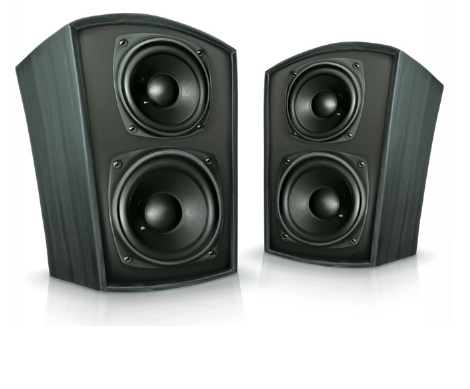
When choosing speakers, quality considerations become important. The number of speakers you use can significantly impact your listening experience. Having more speakers can increase what's called "surround sound" - this creates a more immersive audio experience by directing different sounds to different speakers around you. However, it's important to understand that having more speakers doesn't automatically mean better quality.
Important
Quality vs. Quantity in Audio Systems
Professional advice suggests that having two high-quality speakers often produces better sound than having many low-quality speakers. This is because audio quality depends more on the speaker's construction and components than on quantity alone.
Smart speaker technology
Modern technology has introduced smart speakers that incorporate artificial intelligence capabilities. These innovative devices can respond to voice commands, allowing you to ask them to play specific songs or playlists, control smart home devices like lights, or even provide weather reports. Companies like Amazon, Apple, Google, Microsoft, and Samsung have developed their own versions of these intelligent audio devices.
Multi-functional devices
Multi-functional devices represent an efficient approach to office and home technology needs. These clever devices can perform the functions of several different devices while occupying the space of just one unit.
Example
Worked Example: Four-in-One Printer Benefits
A four-in-one printer combines multiple functions:
- Printing - produces hard copies of documents
- Copying - duplicates physical documents
- Faxing - sends documents electronically over phone lines
- Scanning - converts physical documents to digital files
Benefits achieved:
- Space savings - one device instead of four
- Cost reduction - cheaper than buying separate devices
- Fewer cables - single power and connection setup
This consolidation saves valuable desk space, reduces the number of cables needed, and often costs less than purchasing each device separately.
Data and DLP projectors
Projectors serve as essential display devices that use bright light sources to project images onto flat surfaces such as walls or screens. They effectively replace or supplement computer monitors by creating enlarged, magnified versions of what would normally appear on your screen.
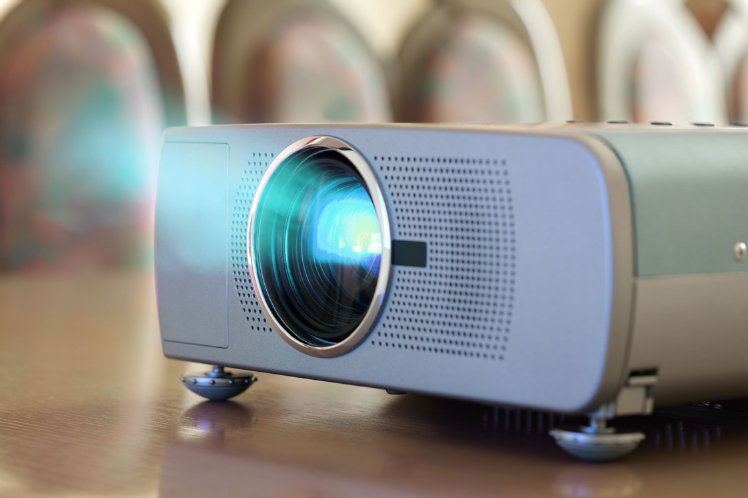
This projection capability makes projectors invaluable in educational settings like schools and professional environments like offices. They enable groups of people to view the same content simultaneously, making presentations, lessons, and collaborative work much more effective. Cinemas use larger, more powerful projectors to display films on big screens.
Types of projectors
There are two main technologies used in modern projectors:
Liquid Crystal Display (LCD) projectors: These use liquid crystal technology to create images. While still available, they're less common in today's market.
Digital Light Processing (DLP) projectors: These represent the dominant technology in the current projector market. Most projectors you encounter today use DLP technology because it typically provides better image quality and reliability.
Note
When choosing a projector, DLP technology is generally recommended for most applications due to its superior performance characteristics and widespread industry adoption.
Power measurement in audio devices
When evaluating speakers and audio systems, you'll encounter the term "watts" as a measurement unit. Watts measure the power output and, consequently, the potential loudness of speakers. Higher wattage typically means the speaker can produce louder sound, though the relationship between watts and actual sound quality is more complex than this simple correlation.
Note
Understanding Speaker Wattage
While higher wattage generally indicates greater potential volume, many other factors affect sound quality including speaker design, materials used, and acoustic engineering. Don't rely solely on wattage ratings when choosing audio equipment.
Remember!
Summary
Key Points to Remember:
- Output devices transfer information from computers to users - they're essential for receiving feedback from your digital work
- Audio devices convert digital data into sound - headsets provide private listening while speakers share sound with others
- Quality matters more than quantity with speakers - two good speakers often outperform many poor-quality ones
- Multi-functional devices save space and money - they combine several device functions into one unit
- Projectors create large displays for group viewing - most modern projectors use DLP technology for better performance