The Role of ICTs in the Workplace (Grade 11 NSC Matric Computer Application Technology): Revision Notes
📚Revision Notes
The Role of ICTs in the Workplace
Introduction to ICTs in the workplace
Information and Communications Technologies (ICTs) have transformed how we work and live. As you learned in Grade 10, ICTs impact every aspect of what people do at home, school, and work. This transformation has made ICTs a major component of daily life, especially in workplace environments.
Note
The widespread adoption of ICTs represents one of the most significant workplace changes in modern history, fundamentally altering traditional business operations and employee interactions.
The primary reason ICTs are widely used in workplaces is their ability to help people work faster, more efficiently, and with fewer wasted resources. For example, companies no longer need staff to handle physical mail because email is much faster and more effective than having an employee sort through post and deliver it to the correct people.
How ICTs impact the workplace
Virtual and mobile offices
ICTs have completely changed how workplaces are organised by allowing employees to be more flexible in where, when, and how they work. This flexibility has given rise to the concept of mobile and virtual offices.
Mobile offices are typically built for temporary purposes and are usually located within moveable, temporary buildings such as converted shipping containers. These offices can be set up quickly wherever they are needed.
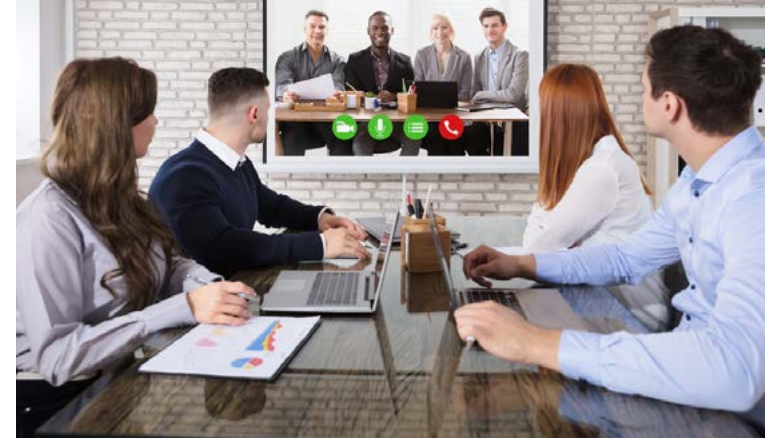
Virtual offices can be completely virtual, with employees using mobile computing devices like laptops, tablets, and smartphones to create an office space outside of the traditional business environment. Virtual offices can also be rented spaces that provide businesses with a physical address and office-related services without the business needing to sign long-term leases or hire administration staff.
Important
Virtual offices are particularly popular with new businesses because they offer lower starting and administrative costs, along with higher degrees of flexibility and efficiency. This allows staff members to focus on their core work rather than handling day-to-day administrative tasks.
Changes in workplace organisation
This technological shift has led to significant changes in how companies employ staff. The rise of flexi-time schedules means staff work hours that suit them rather than following rigid timetables. Mobile offices have contributed to something called the decentralisation of labour.
In the past, all employees worked at a central location according to a fixed time schedule (for example, at an office from 9 am to 5 pm). Now, employees can be scattered across the globe, all working at different times that may or may not overlap with others, and in different places. Employers and employees can stay in touch using the internet and various software programmes such as Skype or email.
Office automation
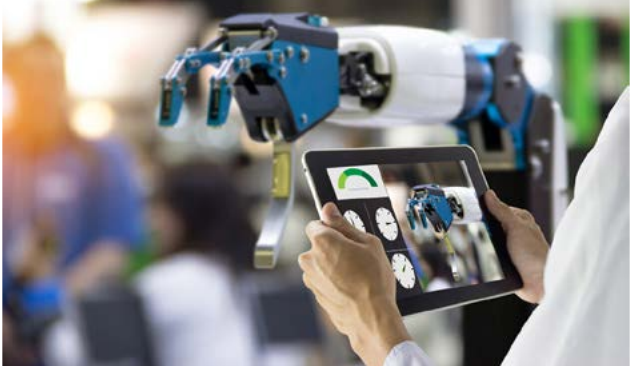
ICTs have also led to the rise of office automation. In some companies, ICTs have completely replaced the need for reception staff to answer telephones and take messages, thanks to automated messaging services and mobile technology.
Offices then and now
Example
Real-World Example: The Changing Role of Receptionists
Before ICTs: Receptionists manually answered every call and directed them to the correct department or person in the company.
With ICTs: When you dial customer support numbers for companies like MTN or Vodacom, an automated message plays asking you to select a number to reach the correct department. Some systems can even answer questions through programmed automated responses without human intervention.
This demonstrates how automation has streamlined communication processes while reducing staffing costs.
A perfect example of how ICTs have changed the workplace is the role of the receptionist or switchboard operator. This job is slowly being phased out due to ICTs. Previously, their job was to take calls and direct those calls to the correct department or person in a company.
BYOD policies
Another significant change that ICTs have brought to the workplace is the rise of Bring Your Own Device (BYOD) policies. As smartphones and tablets have become more cost-effective to purchase, more companies have started adopting BYOD policies.
BYOD means that businesses can avoid the costs of purchasing computing equipment for new staff members, as staff are encouraged to bring their own computers. Staff can also customise their computers to meet their specific needs.
Note
BYOD policies are mostly cost-effective for small to medium businesses. Larger businesses often have the buying power to negotiate better deals with ICT providers for staff equipment, making company-provided devices more economical.
Benefits of BYOD policies
The advantages of implementing BYOD policies include:
- Staff can take their devices home, meaning businesses face lower insurance risks since they don't need to keep expensive technology on their premises
- Reduced costs for purchasing and maintaining company equipment
- Employees can use devices they're already familiar with
- Greater flexibility for remote work
Important
Security Considerations for BYOD
While BYOD offers many benefits, businesses must consider security risks and ensure proper policies are in place to protect company data on personal devices. This includes implementing security protocols, data encryption, and access controls.
Summary
Key Points to Remember:
- ICTs enable faster, more efficient work by reducing wasted resources and streamlining processes
- Virtual and mobile offices provide flexibility, allowing employees to work from anywhere using mobile computing devices
- Decentralisation of labour means employees can work across the globe at different times while staying connected through internet and software programmes
- Office automation has replaced many traditional roles like receptionists with automated systems and messaging services
- BYOD policies help businesses reduce equipment costs whilst allowing staff to use familiar devices, though they work best for small to medium businesses