Input Devices (Grade 11 NSC Matric Computer Application Technology): Revision Notes
📚Revision Notes
Input Devices
Introduction to input devices
Input devices serve as the bridge between humans and computers, allowing us to communicate with and control computing systems. These devices form a crucial part of the information processing cycle, representing the first stage where data enters the computer system.
In today's digital world, the traditional combination of keyboard and mouse is no longer the only way to interact with computers. The widespread adoption of smartphones has made touchscreens the most popular input method in modern computing. Additionally, we're seeing increased use of alternative input technologies such as fingerprint scanners, facial recognition systems, and voice-to-text devices, which are particularly beneficial for users with physical challenges.
Note
The evolution of input devices reflects our changing relationship with technology. While keyboards and mice dominated for decades, the rise of mobile computing has fundamentally shifted how we interact with digital systems.
This unit explores various input devices beyond the standard mouse and keyboard, helping you understand their applications, benefits, and limitations in different computing environments.
Various input devices
Modern computing offers a wide range of input devices, each designed for specific purposes and situations. Understanding these devices helps you choose the most appropriate tool for different computing tasks.
Important
When selecting input devices, consider not only their primary function but also factors like security requirements, user accessibility needs, and the specific computing environment where they will be used.
Scanners
Scanners are input devices that transform physical documents and photographs into digital format. They work by capturing the visual information from a physical source and converting it into electronic data that computers can process and store.

When to use scanners:
- Converting paper documents into digital files
- Creating digital copies of photographs
- Preserving important documents electronically
Advantages of scanners:
- Create highly accurate digital reproductions
- Enable easy editing and sharing of scanned content
- Provide a reliable method for document digitalisation
Disadvantages of scanners:
- May result in some loss of image clarity and quality
- Produce large file sizes that require significant storage space
- The final image quality depends heavily on the original document's condition
Digital cameras
Digital cameras capture images directly in electronic format, eliminating the need for traditional film processing. They can be standalone devices or integrated into other devices like smartphones and tablets.
When to use digital cameras:
- Taking instant photographs for immediate viewing
- Recording video content
- Capturing images that require immediate digital processing
Advantages of digital cameras:
- Provide instant access to images without development time
- Allow immediate review and deletion of unwanted photos
- More environmentally friendly as they don't require chemical processing
Disadvantages of digital cameras:
- Image quality is limited by the camera's maximum resolution
- May have restrictions for low-light photography
- Require battery power and can be affected by technical malfunctions
Biometric input devices
Biometric devices use unique physical characteristics of individuals for identification and security purposes. These devices measure distinctive features like fingerprints, iris patterns, or facial structure to verify identity.

When to use biometric devices:
- Security systems requiring fingerprint or facial recognition
- Smartphone unlocking mechanisms
- Voice recognition software applications
Advantages of biometric devices:
- Provide faster authentication than traditional passwords
- Offer enhanced security through unique biological traits
- Reduce the risk of unauthorised access through identity theft
Disadvantages of biometric devices:
- Can be affected by illness or physical changes
- Some individuals' biometric data may be difficult to read consistently
- Permanent nature means biometric data cannot be changed if compromised
- Raise privacy concerns regarding personal data collection and storage
Important
Security Consideration: Unlike passwords, biometric data cannot be changed if compromised. This makes protecting biometric databases absolutely critical for maintaining user security and privacy.
ATMs and point-of-sale (POS) terminals
These specialised input devices are designed for financial transactions and retail operations. ATMs enable banking services, while POS terminals facilitate sales transactions and inventory management.
When to use ATMs and POS terminals:
- Banking transactions including deposits, withdrawals, and account inquiries
- Retail sales processing and payment collection
- Inventory tracking and sales reporting in commercial environments
Advantages of ATMs and POS systems:
- Provide convenient 24/7 access to banking services
- Enable accurate tracking of financial transactions and inventory
- Offer detailed reporting capabilities for business analysis
Disadvantages of ATMs and POS systems:
- Can become targets for criminal activities like card skimming
- Require regular software updates and staff training
- May experience technical difficulties that interrupt service
Wireless input devices
Wireless input devices operate without physical cable connections to the computer, using technologies like Bluetooth or radio frequency signals for communication.
When to use wireless devices:
- Situations requiring freedom of movement away from the computer
- Clean, uncluttered workspace setups
- Presentations or remote computer control
Advantages of wireless devices:
- Eliminate cable limitations and provide greater mobility
- Create neater workspaces without cable management issues
- Allow use from various positions and distances
Disadvantages of wireless devices:
- Performance can be affected by distance and interference
- Battery dependency creates potential for unexpected power loss
- May experience connectivity issues in areas with signal interference
Handheld devices
Handheld devices include smartphones, tablets, and similar portable computing devices that combine multiple input methods in a compact format.
When to use handheld devices:
- Mobile communication and instant messaging
- Situations where traditional computers are not accessible
- Quick information access and basic computing tasks
Advantages of handheld devices:
- Provide connectivity and computing power anywhere
- Combine multiple functions in a single portable device
- Enable instant communication and information sharing
Disadvantages of handheld devices:
- Limited by battery life requiring regular charging
- Higher risk of damage from drops or accidents
- Potential security risks if lost or stolen
Touchscreens
Touchscreens combine display and input functions, allowing users to interact directly with on-screen elements through touch gestures.
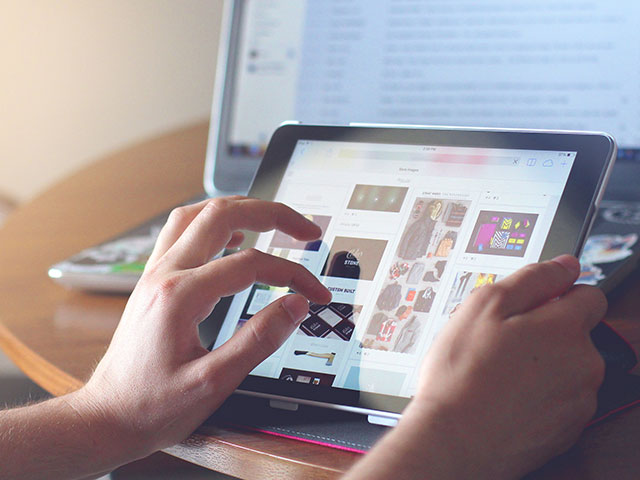
When to use touchscreens:
- Smartphones and tablet primary interaction method
- Public information kiosks and ATM interfaces
- Modern laptops and all-in-one computer systems
Advantages of touchscreens:
- Provide intuitive and versatile interaction methods
- Save space by combining display and input functions
- Enable natural gesture-based navigation
Disadvantages of touchscreens:
- Require regular cleaning to maintain optimal functionality
- Limited by battery life in portable devices
- Higher risk of damage from impact or pressure
Alternative input devices
Alternative input devices encompass various non-traditional input methods, with virtual keyboards being among the most common examples.
When to use alternative input devices:
- Situations where traditional keyboards are impractical
- Accessibility requirements for users with physical limitations
- Space-constrained environments requiring compact solutions
Advantages of alternative devices:
- Virtual keyboards provide excellent reliability and consistency
- Adapt to various user needs and physical limitations
- Often integrate well with existing systems
Disadvantages of alternative devices:
- May lack the tactile feedback that many users prefer
- Can require adjustment periods for users accustomed to traditional inputs
- Some alternatives may be slower than conventional input methods
Image quality factors for scanners and cameras
Understanding what determines image quality helps you make informed decisions when selecting and using imaging devices. The quality of images produced by scanners and cameras depends on several technical factors.

Note
Image quality is crucial for professional applications, document preservation, and situations where fine detail must be maintained. The three main factors work together to determine overall image fidelity.
Colour depth
Colour depth, also called bit depth, refers to the number of bits used to represent the colour information of each pixel in an image. Higher bit numbers allow for more accurate colour representation and smoother colour transitions.
Example
Comparing Colour Depth:
In 8-bit colour depth: Each pixel can display 256 different colours (2^8 = 256)
In 32-bit colour depth: Each pixel can display over 4 billion colours (2^32 = 4,294,967,296)
You can observe this difference in the figure above, where the 32-bit image on the left shows sharper background details and more vibrant, deeper colours compared to the 8-bit image on the right.
Resolution
Resolution measures the amount of fine detail that an image can contain. For digital images, resolution is typically measured in pixels per inch (ppi) or dots per inch (dpi). These measurements indicate how many individual colour points fit within a one-inch square area.
Higher resolution values mean more detail information is packed into the same space, resulting in sharper, more detailed images. This is particularly important when images need to be enlarged or printed at high quality.
Dynamic range
Dynamic range describes the span of light intensities that a scanner can detect and reproduce. A wider dynamic range allows the device to capture more subtle variations in brightness and shadow, producing images with better tonal quality and more natural-looking gradients between light and dark areas.
Camera-specific quality factors
Digital cameras have additional factors that influence image quality beyond the basic scanner considerations:
Resolution in cameras is measured in megapixels, which indicates the total number of pixels the camera sensor can capture. Higher megapixel counts generally allow for more detailed images and better performance when cropping or enlarging photos.
Lens aperture determines how wide the camera lens can open to allow light to reach the sensor. A wider aperture enables better performance in low-light conditions and can create artistic effects like blurred backgrounds.
Focal length controls the camera's zoom capabilities and field of view. The focal length specification shows the zoom range, with longer focal lengths providing greater magnification for distant subjects.
Summary
Key Points to Remember:
-
Input devices are essential tools that allow humans to interact with computers, extending far beyond traditional keyboards and mice to include touchscreens, scanners, cameras, and biometric systems.
-
Each input device type has specific advantages and disadvantages - understanding these helps you choose the right tool for different situations and computing needs.
-
Image quality in scanners and cameras depends on three main factors - colour depth (bit depth), resolution (ppi/dpi), and dynamic range, with cameras also considering lens aperture and focal length.
-
Modern computing relies heavily on alternative input methods like touchscreens and wireless devices, which provide greater flexibility but require consideration of factors like battery life and connectivity.
-
Biometric input devices offer enhanced security through unique physical characteristics, but raise important privacy considerations and may have limitations based on individual physical traits.