Networks and Internet Technologies (Grade 11 NSC Matric Computer Application Technology): Revision Notes
📚Revision Notes
Networks
Introduction to networks
A network is a system that connects multiple computers and devices together, allowing them to communicate and share resources. Think of it as creating a digital community where devices can work together and share information efficiently.
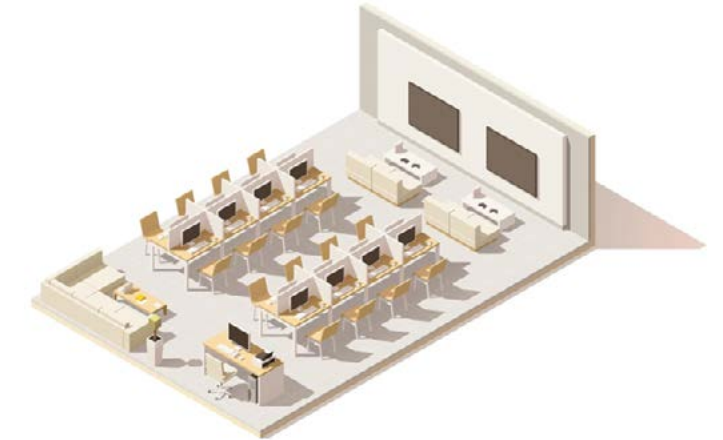
Networks are essential in modern computing because they enable us to share files, printers, internet connections, and other resources between multiple users and devices. Understanding how networks function is crucial for anyone working with computer systems.
Note
Modern networks form the backbone of virtually all business operations, educational institutions, and home computing environments. Without networks, each computer would operate in isolation, making resource sharing and collaboration extremely difficult.
Types of networks
Local area networks (LANs)
A Local Area Network (LAN) connects computers and devices within a small geographical area, such as a single building, office, or school campus. These networks are designed to serve anywhere from just a couple of users in a home setting to hundreds of users in larger organisations.
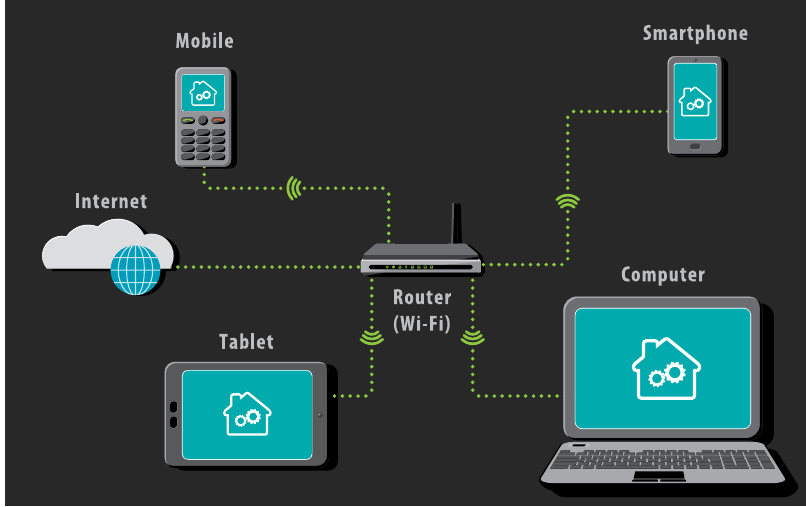
The primary purpose of a LAN is resource sharing. When devices are connected through a LAN, they can easily share internet connections, printers, files, and server access. This sharing capability makes LANs incredibly valuable for both home and business environments.
LANs can use either wired connections (through cables) or wireless connections (through radio signals), and many modern networks combine both approaches to maximise flexibility and connectivity options.
Wireless local area networks (WLANs)
A Wireless Local Area Network (WLAN) provides the same functionality as a traditional LAN but adds the ability to connect wireless devices such as smartphones, tablets, and laptops. This wireless capability gives users the freedom to move around within the coverage area while maintaining their network connection.
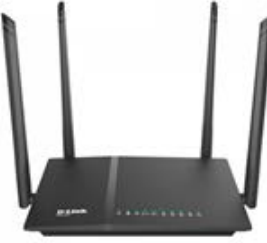
WLANs are particularly useful in environments where mobility is important, such as schools, offices, or homes where people need to access the network from different locations without being tied to a specific desk or workstation.
Advantages and disadvantages of LANs
Important
Understanding the trade-offs of LAN implementation is crucial for making informed networking decisions in any organisation.
Advantages of LANs include:
- Resource sharing: Software licences, files, and hardware can be shared efficiently among all connected devices
- Fast data transfer: Files and information can be shared much faster when they remain within the network rather than being uploaded to the internet
- Central management: Network administrators can easily monitor users, update software, troubleshoot problems, and maintain resources from a central location
Disadvantages of LANs include:
- High setup costs: Initial installation can be expensive, especially in larger environments where extensive cabling and equipment are needed
- Privacy concerns: Network administrators may have access to all user files, raising potential privacy issues
- Security risks: If the network isn't properly secured, one infected computer could potentially compromise the entire network
Basic network components
Networks consist of several essential components that work together to enable communication and resource sharing. Each component plays a specific role in creating a functional network environment.
Workstations, clients and servers
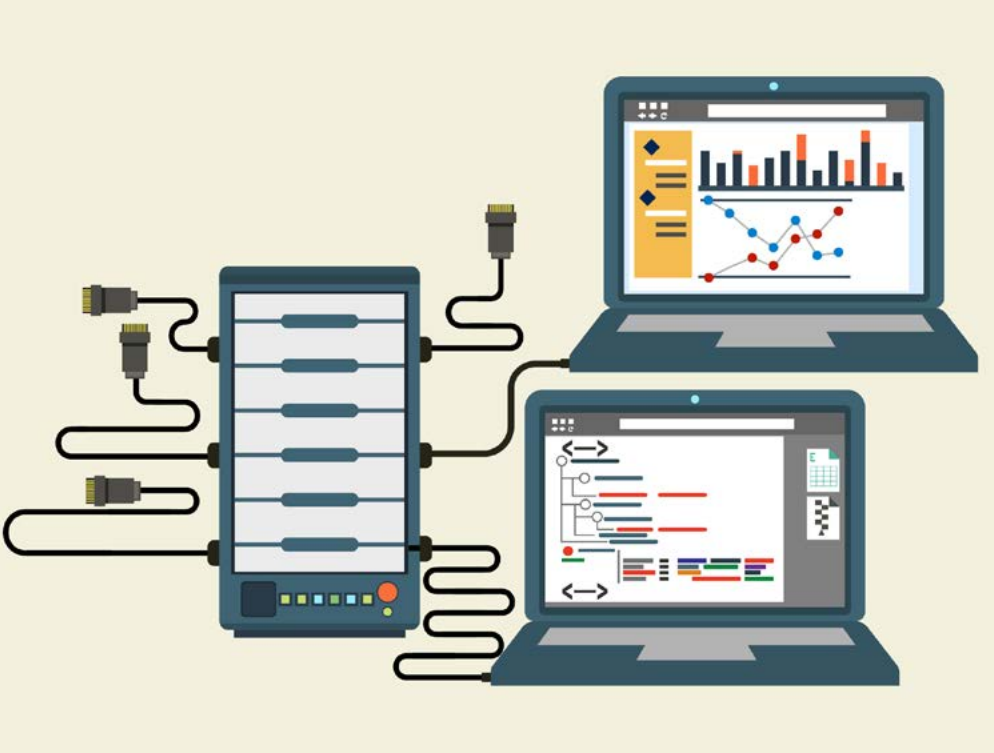
Workstations are the computers that people use daily to complete their tasks. These might include computers used by accountants creating spreadsheets, designers working on graphics, or students completing assignments. Workstations are equipped with input devices (keyboards, mice) and output devices (monitors, speakers) because they're designed for human interaction.

Servers have a completely different role - they're designed to manage network resources and provide services to other computers. Unlike workstations, servers rarely perform tasks beyond their designated server functions.
Important
The distinction between workstations and servers is fundamental: workstations are for human users, while servers are dedicated to serving other computers and managing network resources.
Servers typically have more powerful hardware than regular computers, including:
- More RAM for faster data processing
- Specialised operating systems like Linux or Windows Server
- Faster processors and larger storage drives
- Uninterruptible Power Supplies (UPS) for reliable operation
Different types of servers serve specific purposes:
- Email servers handle sending, receiving, and storing email messages
- Web servers host websites and deliver web pages to browsers
- Database servers store and manage databases for organisational use
- File servers provide centralised file storage and management
Networks can be organised in two main ways:
- Client-server networks have dedicated servers serving multiple client workstations
- Peer-to-peer networks have workstations that act as both clients and servers
Network interface cards (NICs)
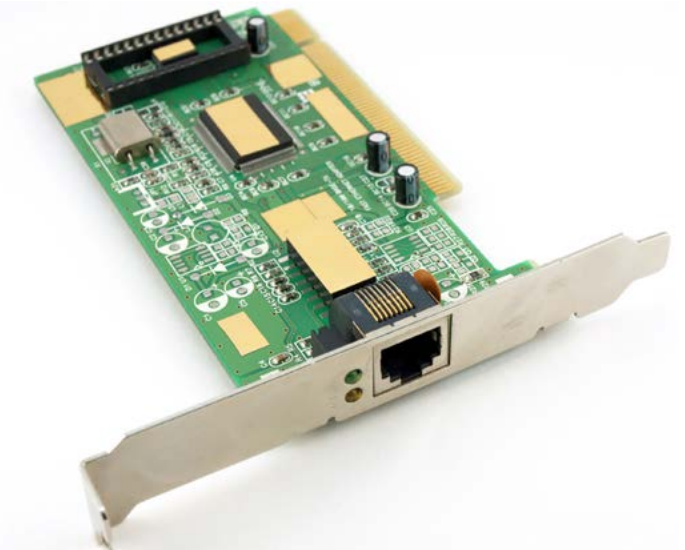
Network Interface Cards (NICs) are essential hardware components that allow computers to connect to networks. Most modern computers have NICs built into their motherboards, though they can also be purchased as separate expansion cards.
Note
The NIC is often called the "gateway" between your computer and the network - without it, your computer cannot communicate with other devices on the network.
NICs come in different types:
- Wired NICs connect using ethernet cables
- Wireless NICs (WNICs) use antennas to connect to wireless networks
It's important to note that USB network adapters, while serving a similar function, are technically called network adapters rather than NICs.
Connection devices
Networks require various devices to function properly. Each device serves a specific purpose in creating and managing network connections.
Switches act as controllers that allow networked devices to communicate with each other. Think of them as traffic coordinators that help create the actual network by managing communication between connected devices.
Routers guide traffic within networks and allow multiple computers to connect together. They don't necessarily provide internet access but rather manage how data moves between different network segments.
Modems are communication devices that connect to Internet Service Providers (ISPs) to provide internet access. When a router is connected to a modem, it gives the entire network access to the internet.
Access Points are used to set up WLANs in larger buildings such as offices or schools. They allow wireless devices like smartphones and tablets to connect to the network infrastructure.
Note
Many modern routers combine the functions of modems and switches, creating all-in-one networking solutions that simplify setup and management for home and small office environments.
Network software
Network software encompasses all the programmes and applications designed to create, implement, and manage computer networks. This software serves network administrators by providing tools to monitor, manage, and maintain network operations.
Network software differs from regular software applications in important ways:
- Network software is primarily used by administrators to manage the network itself
- Software applications are used by regular users to complete their work within the network
Important
Don't confuse network management software with the applications that run on the network. Network software manages the infrastructure, while applications use that infrastructure to function.
Key functions of network software include:
- Setting up and installing computer networks
- Adding or removing users from network access
- Protecting networks from security breaches and unauthorised access
- Managing data storage locations and user access permissions
If a network includes servers, those servers require specialised server operating systems that can be selected based on specific organisational needs.
Communication media
Networks use different methods to connect devices and enable communication between them. The choice between wired and wireless communication depends on factors like speed requirements, mobility needs, and installation constraints.
Wired communication
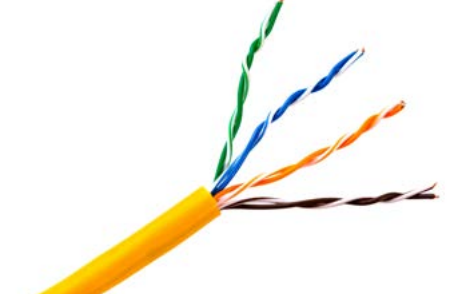
Ethernet cables are the most common type of wired network connection. These cables contain several twisted pairs of wires inside a plastic covering and use RJ45 connectors that plug into network ports on various devices.

Modern wired networks primarily use two types of cables:
Unshielded Twisted Pair (UTP) cables are commonly used for LANs and telephone networks. They're cost-effective and relatively easy to install and maintain.
Note
UTP cables consist of pairs of wires twisted together to reduce electromagnetic interference from external sources. They're called "unshielded" because they don't include additional interference protection like metal meshes or foil shielding.
Fibre optic cables represent more advanced wired communication technology. These cables contain thousands of extremely thin strands of pure glass (optical fibres) within protective insulating jackets.

Instead of using electrical signals like copper cables, fibre optic cables transmit data using light. This approach offers several advantages:
- More flexible and lighter than metal cables
- Can transmit data over longer distances
- Experience lower rates of data loss
- Increasingly used for internet connections
Wireless communication
Wireless networks use radio signals to connect devices without physical cables. When you connect to Wi-Fi in a restaurant or hotel, you're using wireless network technology.
Wireless communication allows data transfer over distances without requiring cables, wires, or physical connectors. Most wireless communication systems use radio waves to send information from one point to another.
Note
Wireless technology has revolutionised networking by providing mobility and flexibility, though it typically offers slower speeds than wired connections and can be affected by physical obstacles and interference.
Network speed considerations
Network performance depends heavily on the communication methods and hardware used. Understanding these speed limitations helps in planning and troubleshooting network performance.
Wired speeds
For wired networks, speed is determined by the rated specifications of the cables being used. The most common cable speed standard is 1 Gigabit (Gb), which can transfer Megabits of data per second.
Wireless speeds
Wireless network speeds depend on the standards they follow. The Institute of Electrical and Electronics Engineers (IEEE) certifies Wi-Fi standards. The main standard for wireless networks is 802.11, which includes various specifications with different speeds, transmission ranges, and frequency requirements.
Important
When purchasing networking equipment, ensure compatibility between all components. Mismatched speeds between cables, NICs, and routers can create performance bottlenecks that limit your entire network's performance.
When purchasing networking equipment, it's important to:
- Match cable and NIC speeds for optimal performance
- Ensure wireless devices use current standards like 802.11ac
- Verify that routers have adequate ports and wireless capabilities
- Consider whether wired or wireless connections better suit your space requirements
Summary
Key Points to Remember:
- LANs connect devices in small areas like offices or schools, while WLANs add wireless connectivity for mobile devices
- Networks require multiple components: workstations, servers, NICs, switches, routers, modems, and communication media all work together
- Servers manage network resources and typically have more powerful hardware than regular workstations
- Wired networks use ethernet and fibre optic cables, with fibre optic being faster and more flexible for longer distances
- Wireless networks use radio signals and follow IEEE 802.11 standards for connectivity and speed specifications