Buying the Correct Hardware (Grade 12 NSC Matric Computer Application Technology): Revision Notes
📚Revision Notes
Buying the Correct Hardware
When purchasing a new computer, the most crucial consideration is understanding how you plan to use it. Different computers come with varying specifications, benefits, and limitations that directly relate to their intended purpose. Someone who uses a computer primarily for gaming will have completely different requirements compared to someone who needs it for basic internet browsing and word processing tasks.
Understanding the different types of computer users and their specific needs will help you make informed decisions about which hardware components will work best for your situation and budget.
Computer users
People utilise computers for many different purposes, and it's helpful to categorise users based on their primary computing activities. There are five main categories of computer users, each with distinct hardware requirements:
- Home users - Personal and recreational computing
- SOHO users - Small Office or Home Office business activities
- Mobile users - Computing while travelling or moving around
- Power users - High-performance computing tasks
- Disabled users - Computing with accessibility considerations
Note
Understanding these categories helps identify what hardware components are most suitable for different computing needs and why certain specifications matter more for some users than others.
Home users
Home users represent people who purchase computers for personal use within their households. These users typically engage in everyday computing activities that don't require extremely powerful hardware.
Common activities for home users include:
- Browsing the internet and social media platforms
- Posting updates on social networks
- Sending and receiving emails
- Completing word processing tasks
- Watching online videos and local media files
- Listening to music and managing digital entertainment
However, categorising someone as a typical home user has become increasingly challenging. Recent studies show that gaming has become incredibly popular, with approximately 2.2 billion gamers worldwide representing roughly 30% of the global population. In Germany, nearly 50% of people play video games, with the average gamer age being 35 years old.
Many home users also work from home, which blurs the distinction between personal and professional computing needs. Additionally, most household computers serve multiple family members with different requirements - children might prefer gaming capabilities while parents need work-oriented features.
Important
Due to these varied needs, homes often require flexible computers that can handle multiple types of tasks rather than basic systems limited to simple activities like web browsing or word processing.
For households with multiple users, a desktop computer with a mid-range CPU and graphics card suitable for gaming represents a good starting point. Most families would also benefit from having a small printer for documents and school projects.
If only one person will use the computer for basic tasks, a mid-range notebook offers more flexibility since it can be used in different locations around the home and is portable. However, budget notebooks under R5,000 should be avoided as they tend to be slow and uncomfortable to use even for basic activities.
SOHO users
Small Office or Home Office (SOHO) users operate businesses from small office spaces or their homes, requiring hardware that supports professional activities while maintaining portability and reliability.
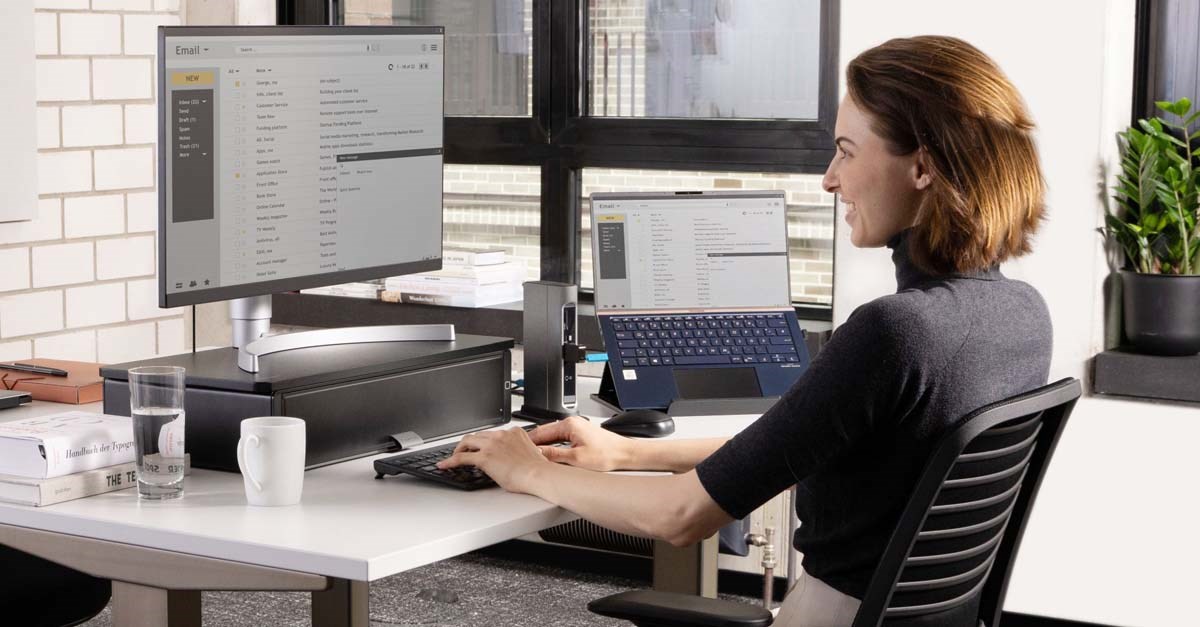
Typical activities for SOHO users include:
- Conducting online research for business purposes
- Managing email communication with clients and suppliers
- Using word processing and spreadsheet applications for business documents
- Taking notes during meetings and client interactions
- Printing important business documents and contracts
While these tasks don't require extremely powerful computers, SOHO users have four specific factors that are particularly important for their success:
Note
Key SOHO Requirements:
- Mobility - The ability to transport the computer easily, especially when attending meetings or working from different locations
- Battery life - Determines how long they can work without access to power outlets during meetings or while travelling
- Screen resolution - Affects how much information can be displayed simultaneously and impacts the quality of presentations
- Processing speed - Essential for maintaining productivity and ensuring smooth operation of business applications
Based on these requirements, an ultrabook represents the ideal solution for most SOHO users. Ultrabooks are compact, lightweight notebooks with excellent battery life that provide sufficient power to run business applications without slowing down performance.
Unfortunately, ultrabooks tend to be expensive, often costing between R10,000 and R30,000. As a compromise, most SOHO users would be satisfied with a mid-range notebook that emphasises the factors mentioned above. Even though notebooks typically have built-in monitors, mice, and keyboards, purchasing a larger external monitor with a more comfortable mouse and keyboard setup can significantly improve productivity for office work.
Mobile users
Mobile users are individuals who travel frequently and need computing devices that are easy to transport and use while moving between locations. These users prioritise portability and connectivity over raw computing power.

Essential requirements for mobile users include:
- Mobility - Devices must be lightweight and easy to carry during travel
- Extended battery life - Ability to use devices for long periods without charging, especially during flights or in locations without power access
- 3G or mobile data connection - Internet access through mobile networks when Wi-Fi isn't available
Mobile users typically rely on devices such as tablets, laptops, and smartphones that prioritise portability over performance. The trend towards mobile computing has grown dramatically, with desktop usage declining while mobile device usage increases significantly each year.
This shift reflects how people increasingly prefer the convenience of accessing information and completing tasks while on the move rather than being tied to a fixed desktop location.
Power users
Power users require computers with exceptional processing capabilities to handle demanding tasks that would overwhelm standard home or office computers. These users need high-performance hardware to support their intensive computing activities.
Power users typically engage in:
- Professional graphic design and video editing
- Playing games that require high-definition graphics and fast processing
- Running multiple demanding applications simultaneously
- Working with large files that require substantial storage space
Note
The Ideal Power User Setup:
- Large amounts of storage space for files and applications
- Substantial RAM to support multiple programmes running concurrently
- High-end CPU for fast processing of complex tasks
- Advanced graphics cards for rendering images and videos
Most power users prefer computers very similar to gaming systems, though some power users who travel frequently might choose high-end ultrabooks instead of desktop systems.
Disabled users
Advances in technology have enabled people with disabilities to not only use computers effectively but also to utilise them for improving their daily lives significantly. The specific computer requirements depend largely on the type of disability and the individual user's particular needs.
Important
It's crucial to research accessibility options thoroughly before purchasing a computer for someone with disabilities, as the hardware and software requirements can vary considerably based on the specific condition and user preferences.
Modern computers can accommodate various disabilities through specialised input devices, screen readers, voice recognition software, and other assistive technologies that make computing accessible to users with different physical and cognitive abilities.
Buying recommendations
Each computer user category has unique requirements that translate into specific hardware needs. The following table provides detailed recommendations for computer hardware based on different user types:
| User Type | Input Devices | Output Devices | Storage Options | Communication Devices | CPU | RAM (GB) |
|---|---|---|---|---|---|---|
| Home | - Keyboard - Mouse | - Screen - Speakers - Printer | - Hard drive - CD/DVD drive | - Network card - Router | Entry level CPU | 4-8 |
| SOHO | - Keyboard - Mouse - Webcam - Microphone - Scanner | - Screen - Speakers - Printer - Multi-function printers | - Hard drive - CD/DVD drive - External hard drive - Flash disc | - Network card - Router - Switch | - Mid-range CPU - Mid-range GPU | 4-8 |
| Mobile | - Keyboard - Mouse - Touchpad - Touch screen | - Screen - Speakers | - Hard drive - External hard drive - Flash disk - Memory card | - Wi-Fi card - 3G connection | - Mid-range CPU - Mid-range GPU - (depending on device) | 2-8 (depending on device) |
| Power | - Keyboard - Mouse - Joystick - Microphone - Webcam - Scanner | - High-definition screen - Speakers - Headset | - Hard drive - SSD - CD/DVD drive - Flash disc | - Network card - Router | - Top-of-the-line CPU - Top-of-the-line GPU | 8-16 |
| Disabled | - Special design keyboard - Special design mouse - Joystick - Trackball - Eye typer | - Large screen - Speakers - Printer - Specially designed printers/scanners | - Hard drive - CD/DVD drive | - Network card - Router - Specialised software | - Entry-level to top range CPU (depending on condition) - Entry-level to top range GPU (depending on condition) | 4-16 (depending on condition) |
This table serves as a general guide, but individual needs may vary within each category based on specific requirements, budget constraints, and personal preferences.
Productivity, efficiency, accuracy and accessibility issues
Computers represent one of the most significant technological advances of the modern era, bringing numerous advantages that fundamentally change how we work and live. These benefits include dramatically improved productivity, enhanced efficiency, increased accuracy, and better accessibility for people with various needs.
Productivity improvements can be seen when comparing manual versus computerised tasks. For example, building a car manually might take anywhere from two months to two years for a single person to complete. Using computer-controlled manufacturing processes, the same task can be completed within 8 hours.
Efficiency and speed benefits become apparent when computers can be programmed to perform specific tasks in optimised ways. This ensures tasks are completed as quickly as possible while maintaining consistent quality standards.
Example
Worked Example: Accuracy in Calculations
Manual calculation scenario: A company needs to calculate payroll for 500 employees with different hourly rates, overtime, and deductions.
- Time required: Several days
- Risk of errors: High (human calculation mistakes)
Computer-assisted calculation:
- Time required: Minutes
- Risk of errors: Minimal (automated formulas)
- Additional benefits: Instant updates, easy corrections, automatic tax calculations
Accuracy advantages are evident in applications like databases and spreadsheets. Computer programmes can perform complex calculations using built-in formulas and functions automatically. If these calculations were completed manually, they would take significantly longer and carry much higher risks of human error.
Accessibility improvements represent perhaps the most important benefit for many users. In the past, people with certain disabilities faced significant limitations in communication and task completion. Computers now offer solutions that enable disabled users to communicate with others through specialised input devices and assistive software. They also enable users to perform basic functions that might otherwise be challenging, such as controlling smart home devices or accessing information independently.
These technological advances continue to evolve, making computers increasingly valuable tools for improving quality of life across all user categories.
Summary
Key Points to Remember:
-
Identify your primary use case - Understanding whether you're a home, SOHO, mobile, power, or disabled user is the first step in choosing appropriate hardware
-
Match hardware to activities - Gaming and graphic design require powerful CPUs and graphics cards, while basic internet browsing needs much simpler specifications
-
Consider mobility needs - SOHO and mobile users should prioritise battery life, screen quality, and portability over raw processing power
-
Plan for multiple users - Household computers often need to accommodate different family members with varying requirements
-
Research accessibility options - Disabled users should thoroughly investigate specialised hardware and software solutions before making purchasing decisions