Output and Communication Devices (Grade 12 NSC Matric Computer Application Technology): Revision Notes
📚Revision Notes
Output and Communication Devices
Introduction
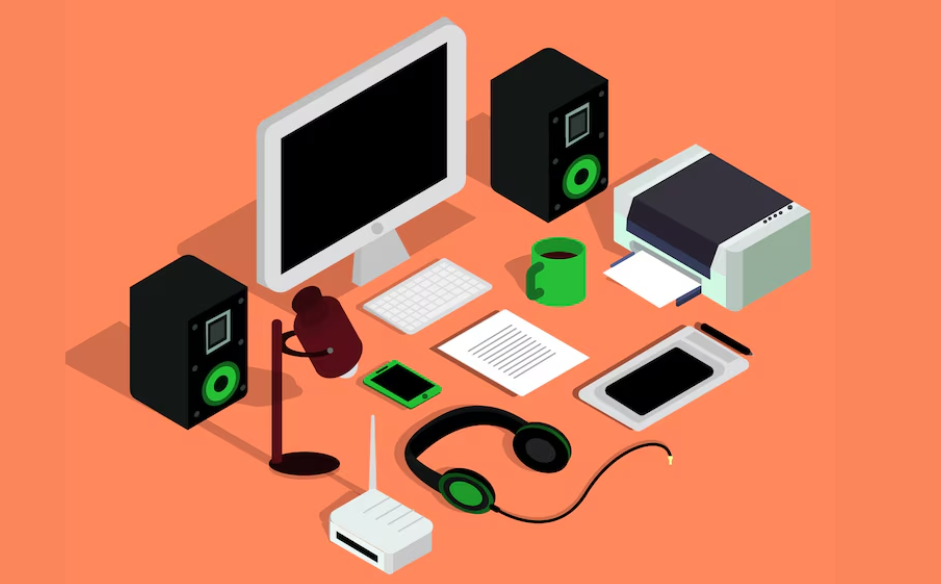
When working with computers, we need ways to see, hear, and share the results of our processing. This unit explores the hardware devices that present processed data to users or transmit it to other computers and networks. Understanding these devices helps you make informed decisions about the technology that best suits your needs.
Note
Understanding output and communication devices is essential for making informed technology purchasing decisions and troubleshooting common computer issues.
What are output devices?
Output devices are hardware components that take data stored on a computer and present it to the user in a meaningful way. This presentation can happen through visual means (like computer screens and printers) or through sound (like speakers and headphones). These devices are essential because they transform the digital information processed by your computer into formats that humans can understand and use.
Note
Common Output Devices Include:
- Computer screens (monitors)
- Speakers and headphones
- Printers
- Projectors
- Virtual reality headsets
Computer screens
The most important output device
The computer screen serves as the primary interface between you and your digital world. It enables you to visually interact with data, programmes, and multimedia content quickly and efficiently. Modern computer software is designed around visual representation, whether you're reading text, watching videos, or playing games with 3D elements.
Evaluating computer screens
When choosing a computer screen, three key factors determine its quality and suitability:
Example
Evaluation Criteria for Computer Screens
Step 1: Assess Resolution Needs
- Standard Full HD: pixels
- 4K Resolution: Up to pixels vertically
- Higher resolution = sharper images but higher cost
Step 2: Determine Size Requirements
- Measured diagonally in inches ( inch = cm approximately)
- Consider desk space and viewing distance
- " monitors are typically the maximum for standard desks
Step 3: Consider Refresh Rate
- Standard: Hz (60 updates per second)
- Gaming/Professional: Up to Hz
- Higher refresh rate = smoother motion but higher cost
Pixels (Resolution) The number of pixels determines how sharp and detailed your screen appears. A typical modern monitor displays 1,920 pixels horizontally and 1,080 pixels vertically, creating what we call "Full HD" resolution. Higher pixel counts, such as the expensive "4K" monitors with up to 2,160 pixels across the height, provide incredibly sharp images but come at a premium price.
Screen size Screen size is measured diagonally from one corner to the opposite corner, expressed in inches. Each inch equals roughly 2.5 centimetres. Consider your desk space carefully - while a large screen reduces eye fatigue and provides more workspace, monitors larger than 27 inches may be too big for standard desks and could cause eye strain if positioned incorrectly.
Refresh rate This represents how many times per second the screen updates its display with new information, measured in Hertz (Hz). Most modern screens refresh at 60 Hz, meaning they update the image 60 times per second, which works well for general use. Advanced screens offering refresh rates up to 144 Hz provide smoother motion, particularly beneficial for gaming, though they cost significantly more.
Important
Key Screen Selection Tips:
- 600 dpi resolution is sufficient for average users
- Higher refresh rates are mainly beneficial for gaming
- Consider your budget - 4K screens are expensive but offer exceptional quality
Virtual reality
Virtual reality represents one of the most exciting technological developments in output devices. This technology uses specially designed headsets to completely immerse users in high-quality 3D virtual environments through both visual and audio stimulation.
What makes virtual reality unique is its ability to respond to your natural movements. Unlike traditional 3D viewing devices that show static 3D images, VR headsets track where you look and adjust the displayed image accordingly. This creates a remarkably realistic sensation of being present in the virtual environment.
Note
Virtual reality technology is rapidly advancing and finding applications in education, training, entertainment, and professional simulations. The immersive experience can make learning more engaging and provide safe environments for practising dangerous or expensive procedures.
Speakers
Speakers rank among the most popular output devices for computers. They convert digital audio signals into sound waves, enabling you to listen to music, communicate through programmes like Skype, or enjoy movies and games with full audio experiences.
Speaker system types
Most computers include basic built-in speakers suitable for system sounds and basic audio needs. However, for enhanced audio experiences, external speaker systems offer superior sound quality and volume.
2.0 vs 2.1 Speaker systems
| Feature | 2.0 (No Subwoofer) | 2.1 (With Subwoofer) |
|---|---|---|
| Channels | Two channels (left and right), no subwoofer | Two channels (left and right) with a subwoofer |
| Amplifier location | Amplifiers housed inside one of the speakers | Uses smaller left- and right-hand speakers for higher frequencies and a subwoofer that produces the lower frequencies |
| Space requirements | Smaller and takes up less space | Requires more space for the additional subwoofer unit |
| Frequency reproduction | Limited frequency range | Can reproduce lower frequencies and delivers more powerful bass |
Note
A subwoofer is a loudspeaker designed to reproduce low-frequency sound (for example, bass sounds). The "2.1" in speaker systems refers to 2 main speakers plus 1 subwoofer.
Evaluating computer speakers
When selecting speakers, consider these important factors:
Example
Speaker Evaluation Checklist
Step 1: Test Sound Quality
- Listen to speakers directly if possible
- Check online reviews from trusted sources
- Ensure balanced treble, mid-range, and bass
Step 2: Check Input Options
- Multiple audio-input connections
- Compatibility with various devices (iPods, smartphones)
Step 3: Assess Control Features
- Minimum: Volume adjustment
- Premium: Bass and treble controls
- Ensure controls are easily accessible
Specifications and sound quality The best evaluation method involves listening to the speakers directly. If that's not possible, research online reviews from trusted sources. Quality speakers provide balanced sound across treble (high), mid-range, and bass (low) frequencies, delivering rich, detailed audio without distortion.
Input options Look for systems offering multiple audio-input connections, allowing you to connect various devices like iPods, smartphones, and other audio sources simultaneously.
Control features While basic systems offer minimal controls, better speakers include at least volume adjustment. Premium systems provide bass and treble controls, though ensure these controls are easily accessible during regular use.
Appearance Since speakers remain visible at your computer workspace, choose designs that complement your setup and personal preferences.
Price considerations Generally, higher-priced speakers offer better performance, but speakers often appear in discount sales, making quality systems more affordable. Research and compare prices across different retailers.
Printers
Printers enable you to transfer digital text and graphic content from your computer onto physical paper. This capability proves essential for creating hard copies of documents, illustrations, diagrams, and photographs.
Choosing the right printer
Several factors influence printer selection:
Example
Printer Selection Decision Tree
Step 1: Assess Your Printing Needs
- Volume: How many pages per day/week?
- Type: Text documents, photos, or graphics?
- Colour requirements: Black and white or colour printing?
Step 2: Evaluate Technical Specifications
- Speed: Budget printers = 3-6 colour pages/minute
- Resolution: 600 dpi sufficient for most users
- Memory: More memory = faster processing of complex documents
Step 3: Consider Ongoing Costs
- Ink cartridge prices and availability
- Cost per page for different document types
Speed Budget printers typically produce three to six colour pages per minute. Consider your printing volume needs when evaluating speed requirements.
Paper type and size Select printers that accommodate the document types you regularly create. Different printers handle various paper sizes and weights differently.
Printer resolution Resolution, measured in dots per inch (dpi), affects the sharpness of printed text and images. A resolution of 600 dpi provides sufficient quality for most users, while higher resolutions increase both quality and cost.
Printing costs Colour printers cost more to operate than black-and-white models. Higher resolution printing also increases per-page costs through increased ink consumption.
Memory capacity Printers with more built-in memory process print jobs faster, particularly noticeable when printing documents containing large images or complex tables.
Wireless capabilities Modern printers often include Wi-Fi connectivity, allowing you to print documents without physical cable connections to your computer.
Ink cartridge availability Ensure replacement cartridges are readily available and reasonably priced, as ongoing cartridge costs often exceed the initial printer purchase price.
Important
Critical Printer Selection Factors:
- Ongoing ink costs often exceed the printer purchase price
- 600 dpi resolution meets most users' quality needs
- Wireless capability adds convenience but may increase initial cost
- Consider cartridge availability in your region before purchasing
Communication devices
Communication devices connect your computer to networks, enabling interaction with other computers and access to internet resources. These devices fall into two main categories: internal components built into your computer and external networking equipment.
Note
A communication device is a type of device that connects a computer to other computers in a network. This connection enables file sharing, internet access, and collaborative work.
Types of communication devices
Internal communication devices Built-in components like network cards and Wi-Fi adapters connect your computer to specific network types. A network card might provide ethernet cable connections, Wi-Fi network access, or internet connectivity, depending on its design.
External communication devices Networking equipment like routers serves broader purposes, connecting multiple devices and different network types. Routers can simultaneously handle ethernet cables, Wi-Fi connections, DSL internet, and mobile 3G/4G networks on the same network infrastructure.
The key distinction lies in scope: internal devices typically connect your single computer to one network type, while external devices create network infrastructure supporting multiple devices and connection methods.
Important
Understanding the Difference:
- Internal devices: Connect one computer to one network type
- External devices: Create network infrastructure for multiple devices and connection methods
- Routers are essential for home and office networks with multiple computers
Remember!
Summary
Key Points to Remember:
- Output devices transform stored computer data into formats humans can perceive through visual or audio presentation
- Computer screens are evaluated by resolution (pixels), physical size (diagonal measurement), and refresh rate (Hz frequency)
- Virtual reality creates immersive 3D experiences using headsets that respond to head movements and provide realistic environmental simulation
- Speaker systems come in 2.0 (two speakers) or 2.1 (two speakers plus subwoofer) configurations, with subwoofers enhancing bass reproduction
- Printers should be selected based on speed, resolution needs, paper requirements, and ongoing ink costs
- Communication devices connect computers to networks through internal components (network/Wi-Fi cards) or external equipment (routers) that support multiple connection types
- Remember: 600 dpi resolution is sufficient for most printing needs, and ongoing costs often matter more than initial purchase price