Processing Devices (Grade 12 NSC Matric Computer Application Technology): Revision Notes
📚Revision Notes
Processing Devices
Introduction to processing devices
When you use a computer, the data from input devices like your keyboard or mouse needs to be modified and processed before it can be displayed on your screen or sent to other output devices. This essential work is done by your computer's processing devices, which follow specific instructions and perform calculations to transform raw data into useful information.
Note
Processing devices work together as a team - the CPU coordinates overall operations, the GPU handles graphics calculations, and RAM provides the ultra-fast temporary storage that both processors need to work efficiently.
In this section, we'll explore the three most important processing devices that work together to make your computer function: the Central Processing Unit (CPU), Graphics Processing Unit (GPU), and Random Access Memory (RAM). Understanding these components will help you make informed decisions when choosing or upgrading computer hardware.
Central Processing Unit (CPU)
What is the CPU?
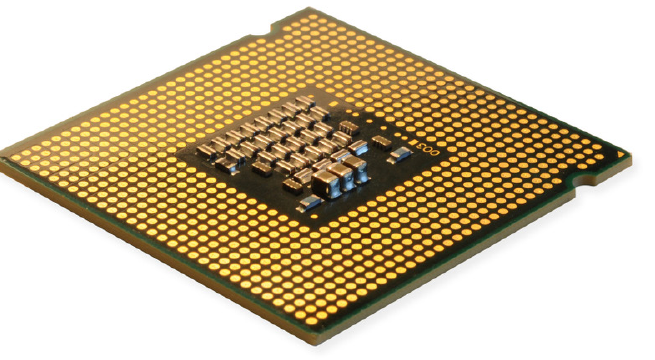
The Central Processing Unit is one of the most crucial components in any computer system. Think of it as the "brain" of your computer that coordinates and controls all other components. The name gives us a clue - it's literally the central unit that does the processing.
How the CPU works
Your CPU handles two main responsibilities:
- Receiving and executing instructions: Every task you perform on your computer, from opening a file to running a programme, requires the CPU to process specific instructions
- Task delegation: When more specialised work needs to be done, the CPU allocates these tasks to other components that are better suited to handle them efficiently
The CPU achieves this through billions of microscopic transistors that can be switched on or off individually. This creates the binary foundation that allows computers to process information digitally.
Evaluating a CPU
When choosing a CPU for your needs, you should consider several key factors:
Processor frequency (Gigahertz): This measurement indicates how many operations your processor can complete each second. Generally speaking, higher gigahertz rating means faster processing speed, though this isn't always a foolproof method for comparison.
Number of processing cores: Modern CPUs contain multiple cores, which are like having several processors working together. More cores typically mean better performance, especially for multitasking and demanding applications.
Important
Computers with identical specifications can perform very differently due to various design factors. The best approach is to research specific CPU models online and find benchmarks within your budget range.
CPU manufacturers and models
The two main CPU manufacturers offer different product lines targeting various user needs:
Intel processors:
| Model | Target Audience | Comments |
|---|---|---|
| Celeron | Entry level | The slowest of the models |
| Core i3 | Mid range | Good starting point for most people |
| Core i5 | Suitable for most uses | Very fast CPU that is suitable for most users |
| Core i7 | Gamers and power users | Faster and more expensive |
| Core i9 | Power users who need cutting edge technology | Fastest and most expensive currently available |
AMD processors:
| Model | Target Audience | Comments |
|---|---|---|
| Ryzen 3 | Entry level | The slowest of the Ryzen models |
| Ryzen 5 | Mid range | Good starting point for most people |
| Ryzen 7 | Suitable for most uses | Very fast CPU that is suitable for most users |
| Ryzen Threadripper | Top of the line | Faster and more expensive than any other model |
Note
Even though a Core i7 might be faster than a Core i5, it's also significantly more expensive. For most users, the performance difference won't be noticeable in everyday tasks, making the i5 a much better value for money.
Graphics Processing Unit (GPU)
What is the GPU?
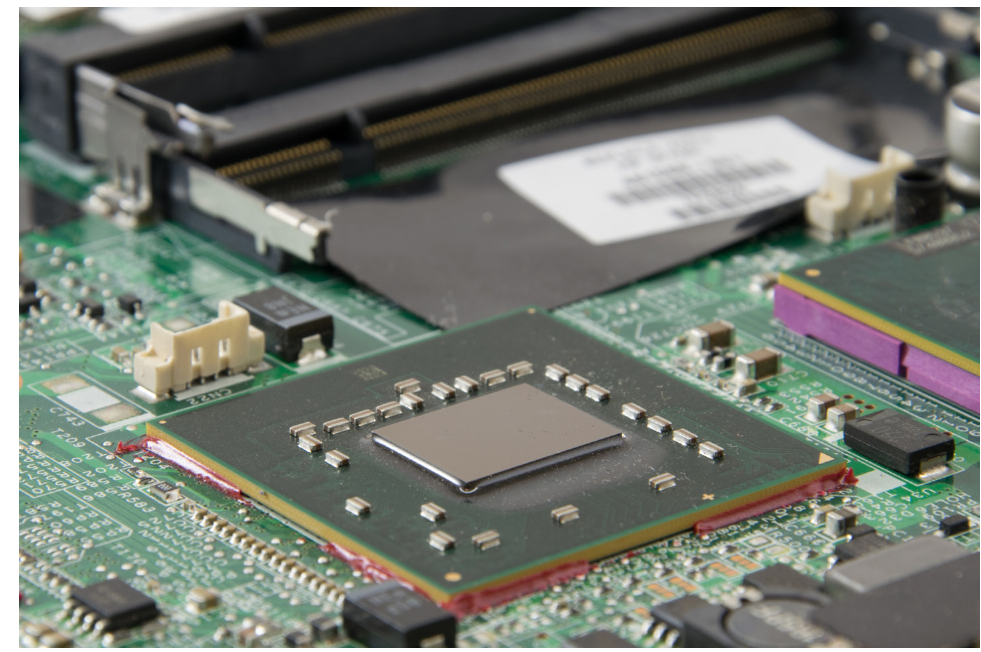
The Graphics Processing Unit is a specialised processor designed specifically for handling display-related tasks. While your CPU can handle graphics processing, the GPU is much more efficient at these calculations because it's built specifically for this purpose.
Unlike the CPU which handles general computing tasks, the GPU focuses exclusively on the mathematical calculations needed to render and display images on your screen.
How GPUs work
Modern 3D games and applications require incredibly complex calculations to create realistic visuals. Thousands of objects can appear on screen simultaneously, each with detailed characteristics that must be calculated using mathematical formulas.
To ensure smooth, realistic graphics, GPUs might calculate thousands of light rays bouncing around virtual environments to create proper lighting and shadows. This requires billions of calculations per second, which is why GPUs often have more processing power than CPUs for these specific tasks.
Evaluating a GPU
When deciding whether you need a dedicated graphics card, ask yourself: "What will I use my computer for?"
If you primarily use your computer for basic tasks like email, web browsing, and document processing, you might not need to purchase a separate GPU. Most modern computers include integrated graphics that can handle these everyday activities perfectly well.
Important
If you plan to use your computer for graphically intensive tasks such as gaming, graphic design, or video editing, you'll definitely benefit from a dedicated graphics card.
Unfortunately, choosing the right GPU isn't straightforward. Different manufacturers offer various product lines with different specifications. To find the best graphics card for your needs, you'll need to research manufacturer model numbers and performance benchmarks.
| Model | Target Audience | Comments |
|---|---|---|
| X30 | Entry level | The slowest of the models |
| X50 | Mid range | Good starting point for most users |
| X60 | Suitable for most users | Very fast GPU that is suitable for most users |
| X70 | High end | Very fast GPU that will allow you to run the most complicated 3D applications |
| X80 | Top of the line | Fastest and more expensive of the models |
GPU model numbering
Graphics card manufacturers use model numbering systems where the "X" represents the generation of the graphics card. For example, a GTX 980 was released in March 2015, while the GTX 1080 was released one year later in May 2016, followed by the RTX 2080 in September 2018.
Note
Understanding these numbering patterns and taking time to research what different model numbers mean will help you choose a graphics card that suits your needs at an appropriate price point.
Random Access Memory (RAM)
What is RAM?
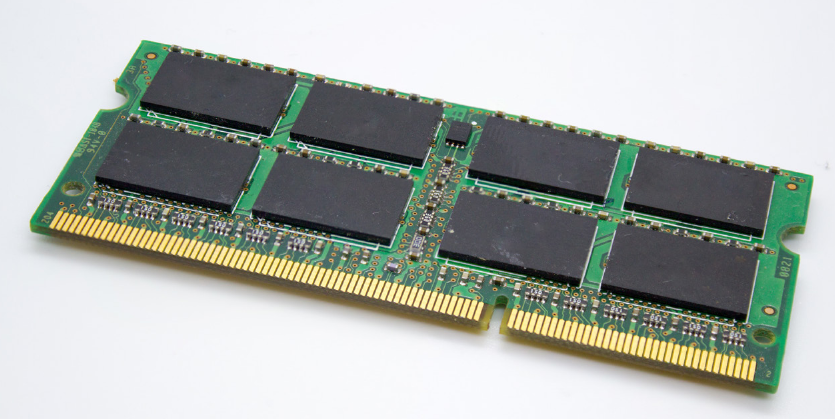
Random Access Memory is a crucial hardware component that serves as your computer's temporary workspace. Think of RAM as an extremely fast storage area that holds data temporarily while your computer is actively using it.
RAM enables your computer to work with large amounts of information simultaneously by acting as a helper to both the GPU and CPU. It stores information currently being used and loads data that processors might need to access next.
Types of RAM
Your motherboard determines which type of RAM you need to purchase. The most common varieties include:
DDR2 SDRAM: This older type of RAM was typically found in computers manufactured before 2007, when it was succeeded by DDR3 SDRAM.
DDR3 SDRAM: This RAM type was commonly found in computers made after 2007 and was the standard until DDR4 became prevalent in 2014.
DDR4 SDRAM: This is the current standard found in most modern computers and offers improved performance over earlier generations.
Note
The best approach is to research online to determine which RAM type works best with your specific motherboard.
Evaluating RAM needs
To ensure your GPU and CPU can operate without interruptions, RAM needs to be much faster than traditional storage devices. Having a processor capable of completing four billion instructions per second isn't useful if it can't access four billion pieces of data each second. RAM is incredibly fast - it can be up to 90 times faster than the fastest storage devices.
Determining your RAM requirements depends on two main factors:
- Which operating system are you using? Different operating systems have different memory requirements
- What activities do you plan to do with your computer? More demanding tasks require more memory
RAM recommendations
| Type of User | Recommendation | Activities |
|---|---|---|
| Casual user | 4-8 GB | Internet browsing, email, watching movies and listening to music |
| Frequent user | 8-16 GB | Simple graphic programmes and flash games |
| Power user | 16 GB | Photo editing, video editing and gaming |
| Professional user | 32 GB | High-performance gaming and graphic design |
Summary
Key Points to Remember:
-
The CPU is the brain of your computer - it processes instructions and coordinates all other components through billions of microscopic transistors
-
When evaluating a CPU, consider both gigahertz (processing frequency) and number of cores, but always research specific models and benchmarks for the best comparison
-
GPUs specialise in graphics processing - while integrated graphics work fine for basic tasks, dedicated graphics cards are essential for gaming, design work, and other visually demanding applications
-
RAM provides temporary, ultra-fast storage that can be up to 90 times faster than permanent storage devices, enabling smooth operation of your CPU and GPU
-
Your RAM needs depend on your usage - casual users can manage with 4-8 GB, while professional users may need 32 GB or more for demanding applications