Uses of Common Applications (Grade 12 NSC Matric Computer Application Technology): Revision Notes
📚Revision Notes
Uses of Common Applications
What is application software?
Application software refers to computer programmes designed to help users complete specific personal, educational, or business tasks. Unlike system software that runs your computer, application software is what you actually use to get work done.
Note
Think of application software as the tools in a toolbox - each one serves a particular purpose to help you accomplish different jobs. Just as you wouldn't use a hammer to cut wood, different software applications are designed for specific tasks.
Common types of application software include:
- Word processing
- Spreadsheet
- Database
- Presentation
- Document management
- Web browsers
Word-processing software
Word-processing software helps you create, edit, format, and print text documents. Whether you're writing an essay, creating a CV, or drafting a letter, this software provides the tools you need to make professional-looking documents.
Key features of word processors
Graphics and media: Modern word processors let you add images, photos, videos, and clipart to make your documents more visually appealing and engaging.
Templates: Instead of starting from scratch every time, you can use pre-designed templates for common documents like letters, reports, or newsletters. This saves time and ensures a professional appearance.
Spell checker: The built-in spell checker automatically identifies misspelt words and suggests corrections. You can even add specialised terms to the dictionary so they won't be flagged as errors.
Thesaurus: When you need to find alternative words or improve your vocabulary, the thesaurus feature suggests synonyms for better writing.
Types of word-processing software
| PAID | FREE | ONLINE |
|---|---|---|
| Microsoft Word | LibreOffice | Google Docs, Office 365 |
Installed applications versus web-based applications
Understanding the difference between installed and web-based applications helps you choose the right tool for your needs.
Important
Key Differences:
Installed applications are programmes permanently saved on your computer's hard drive. You can use them without an internet connection.
Web-based applications run through your internet browser and are stored on remote servers. You need an internet connection to access them, but they offer flexibility to work from anywhere.
The choice between installed and web-based software depends on your specific requirements, internet availability, and collaboration needs.
Spreadsheet software
Spreadsheet software organises numerical data in rows and columns, making it easy to perform calculations, analyse information, and create visual charts. It's particularly useful for budgets, grade tracking, and data analysis.

Key features of spreadsheet software
Forms: Create data entry forms for surveys, timesheets, or review forms, making it easier for others to input information consistently.
Data analysis: Use built-in formulas and functions to analyse data, calculate averages, find trends, and generate insights from your information.
Conditional formatting: Automatically highlight important data based on specific criteria. For example, you could highlight overdue tasks in red or top performers in green.
Sorting and filtering: When dealing with large amounts of data, you can sort information alphabetically or numerically, and philtre to show only the data that meets certain conditions.
Note
Spreadsheet software is incredibly powerful for anyone working with numbers or data. From students tracking their grades to business owners managing budgets, these tools can help you make sense of complex information and spot important patterns.
Database software
Database software creates and manages organised collections of information stored in structured tables, fields, and records. It's designed for storing large amounts of data that can be easily searched, sorted, and retrieved when needed.
Key features of database software
Security: One of the most important aspects of database software is protecting your data. You can control who has access to specific information, ensuring sensitive data remains secure.
Permanent storage: Database software includes backup and recovery systems to protect against data loss, ensuring your information is safely stored for the long term.
Presentation software
Presentation software helps you create and edit slide shows that can include text, images, videos, and audio. It's perfect for school presentations, business meetings, or any situation where you need to share information visually.
Key features of presentation software
Animation effects: Add movement to text and images to make your presentations more engaging and help emphasise important points.
Slide notes: Add personal notes to each slide that only you can see during the presentation. These help you remember key points without cluttering your slides.
Transitions: Control how slides change from one to the next, creating smooth visual flow that makes your presentation feel more professional.
Example
Presentation Planning Example:
Step 1: Choose a template that matches your topic
Step 2: Plan your content with one main idea per slide
Step 3: Add animations to highlight key points
Step 4: Include slide notes for important details you want to remember
Step 5: Practice with transitions to ensure smooth delivery
Email software
Email software enables you to send and receive electronic messages over the internet. Modern email programmes can handle text, images, videos, and file attachments, making them essential for both personal and professional communication.

Key features of email software
Address book: Store and organise contact information for friends, family, and colleagues, making it easy to find email addresses when you need them.
Mailing list: Send the same message to multiple recipients at once, useful for group announcements or newsletters.
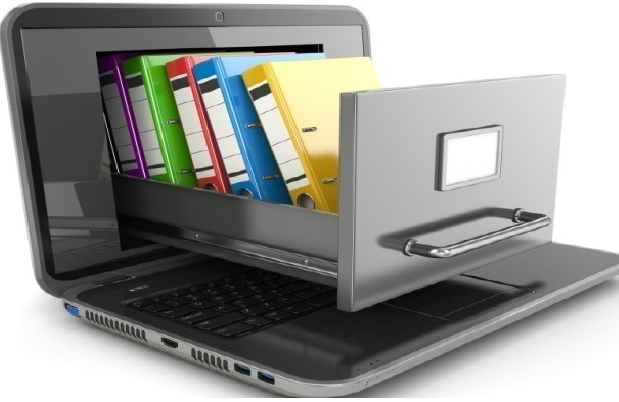
Document management software
Document management software helps you store, organise, and track electronic documents and images. One common use is converting documents to PDF format, which prevents accidental changes while allowing easy sharing.
Key features of document management software
Password protection: Encrypt documents with passwords so only authorised people can access sensitive information.
Restricted access: Control which users can view, edit, or share specific documents, providing an extra layer of security for confidential files.
Version control: Keep track of different versions of documents, including who made changes and when, so you can always find the most current version or revert to previous ones if needed.
Important
Document security is crucial in today's digital world. Always use password protection for sensitive documents and be mindful of who has access to your important files. Version control helps prevent the confusion of working with outdated documents.
Web browsers
A web browser is software that allows you to access and view information on the internet by opening web pages. Browsers interpret website code and display it in a user-friendly format.
Popular web browsers
Microsoft Edge: Comes pre-installed with Windows 10 computers and offers integration with Microsoft services.
Google Chrome: A free browser developed by Google, known for its speed and extensive extension library.
Firefox: A free, open-source browser developed by Mozilla, focusing on privacy and customisation.
Note
Different web browsers may display websites slightly differently. For important tasks like online banking or submitting assignments, it's good practice to test your browser compatibility or have a backup browser available.
Summary
Key Points to Remember:
- Application software serves specific purposes - each type is designed to help you complete particular tasks efficiently
- Choose between installed and web-based applications based on your internet access, collaboration needs, and feature requirements
- Word processors are for text documents with features like templates, spell check, and formatting tools
- Spreadsheets organise and analyse numerical data with calculations, charts, and data filtering capabilities
- Databases store large amounts of structured information with strong security and search features
- Presentation software creates visual slide shows with animations, transitions, and multimedia support
- Email software handles electronic communication with contact management and group messaging features