Hardware and Software (AQA GCSE Computer Science): Revision Notes
📚Revision Notes
Hardware and Software
What are computer systems?
Every computer system you use - whether it's your phone, laptop, or gaming console - is made up of two essential parts that work together: hardware and software. Think of them as the body and brain of a computer working as a team to get things done.
Note
Think of it this way: Hardware is like the body of a person (the physical parts you can see and touch), while software is like the brain (the thoughts and instructions that control what the body does).
Understanding hardware
Hardware refers to all the physical parts of a computer that you can actually see and touch. These are the solid, tangible components that make up your computer system.
The main hardware components include:
- CPU (Central Processing Unit) - the "brain" that processes information
- Input devices - keyboard, mouse, touchscreen (how you communicate with the computer)
- Output devices - monitor, speakers, printer (how the computer communicates back to you)
- Graphics card - handles all the visual processing for games and videos
- Storage - where your files and programmes are kept (both temporary and permanent storage)
Think of hardware like the engine, wheels, and body of a car - these are the physical parts that actually do the work.
Important
Key Point: Hardware is anything in a computer system that you can physically touch - if you can see it and feel it, it's hardware!
Understanding software
Software refers to all the programmes and instructions that run on your computer. Unlike hardware, you can't physically touch software - it's the digital side of computing.
Software includes:
- Operating system (like Windows, macOS, or Android) - the main programme that controls everything
- Applications - games, web browsers, word processors, music players
- System programs - utilities that help maintain and optimise your computer
Software acts like the driver of a car - it gives instructions to the hardware about what to do and how to do it. The software tells the hardware "open this file," "play this video," or "save this document," and the hardware carries out these instructions.
The key relationship is this: software gives the orders, hardware follows them. Software creates the instructions, while hardware performs the actual processing and displays the results you see on screen.
Boolean logic - the foundation of computing
Who was George Boole?
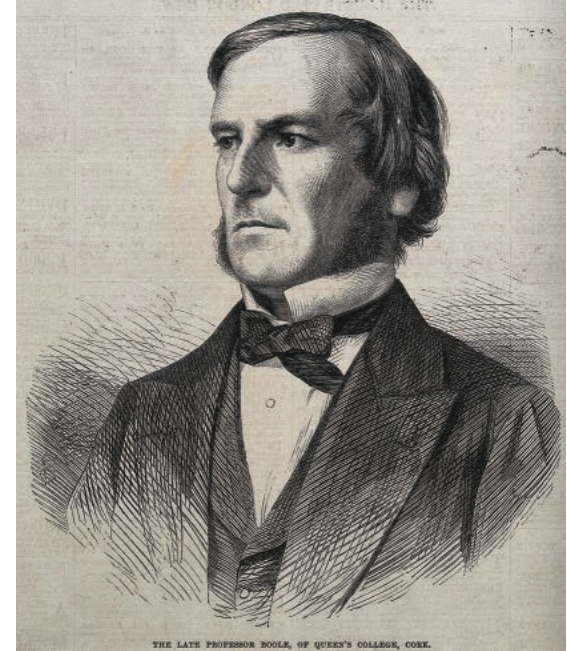
George Boole (1815-1864) was an English mathematician who made a discovery that would become fundamental to all modern computing. He figured out that all logical decisions could be simplified down to just two basic values: True and False.
Note
This might seem simple, but it was revolutionary! Boole showed that complex logical problems could be broken down into simple yes/no, true/false decisions - over 150 years before modern computers were even invented!
What is Boolean logic?
Boolean logic is a system that only uses two possible values. In computing, we call this the Boolean data type, and it can only ever be one of two things:
- True or False
- 1 or 0
- ON or OFF
Important
Why this matters: This is perfect for computers because they work using electronic switches called transistors. These transistors can only be in two states - either electricity is flowing through them (ON) or it isn't (OFF).
Binary representation in computers
Computers store and process everything using these simple ON/OFF switches. When a transistor is:
- ON = represented by the number 1 or True
- OFF = represented by the number 0 or False
This is why we say computers work in binary - they only understand these two digits (1 and 0).
Example
Real-World Example: Light Switch
Think of a simple light switch in your room:
- When you flip it UP = Light is ON = 1 = True
- When you flip it DOWN = Light is OFF = 0 = False
Computers work exactly the same way, but with millions of these "switches" (transistors) turning on and off incredibly fast!
Exam tip for Boolean notation
In your GCSE exam, you might see Boolean values written in different ways:
- 1 and 0 (most common in exams)
- True and False
- T and F
- On and Off
Important
Exam Success: Don't get confused - these all mean the same thing! The exam will typically use 1 and 0, so get comfortable with this notation.
How hardware and software work together
The relationship between hardware and software is like a constant conversation happening millions of times per second.
Example
Worked Example: Playing a Video Game
Let's trace what happens when you want to play a video game:
- You give input (hardware: keyboard/controller receives your commands)
- Software processes your request (the game programme decides what should happen)
- Software sends instructions to hardware ("display this character moving," "play this sound")
- Hardware executes the instructions (graphics card renders the image, speakers play audio)
- You see and hear the results (hardware: monitor displays the game, speakers output sound)
This cycle happens millions of times per second, creating the smooth, interactive experience you expect from modern computers.
Summary
Key Points to Remember:
- Hardware = Physical computer parts you can touch (CPU, keyboard, monitor, etc.)
- Software = Programmes and instructions that run on the computer (apps, operating system, games)
- Boolean logic uses only two values: True/False, 1/0, ON/OFF - this is the foundation of all computing
- George Boole invented Boolean logic in the 1800s, which became essential for modern computers
- Hardware and software must work together - software gives instructions, hardware carries them out