Input and output (Edexcel GCSE Computer Science): Revision Notes
📚Revision Notes
Input and output in programming
Programming involves two essential processes: getting information from users (input) and showing results back to them (output). Understanding how to handle both effectively is crucial for creating useful programmes that can interact with users.
Getting input from users
When you want your programme to interact with users, you need to collect information from them. This typically happens through keyboard input, where users type their responses.
How keyboard input works
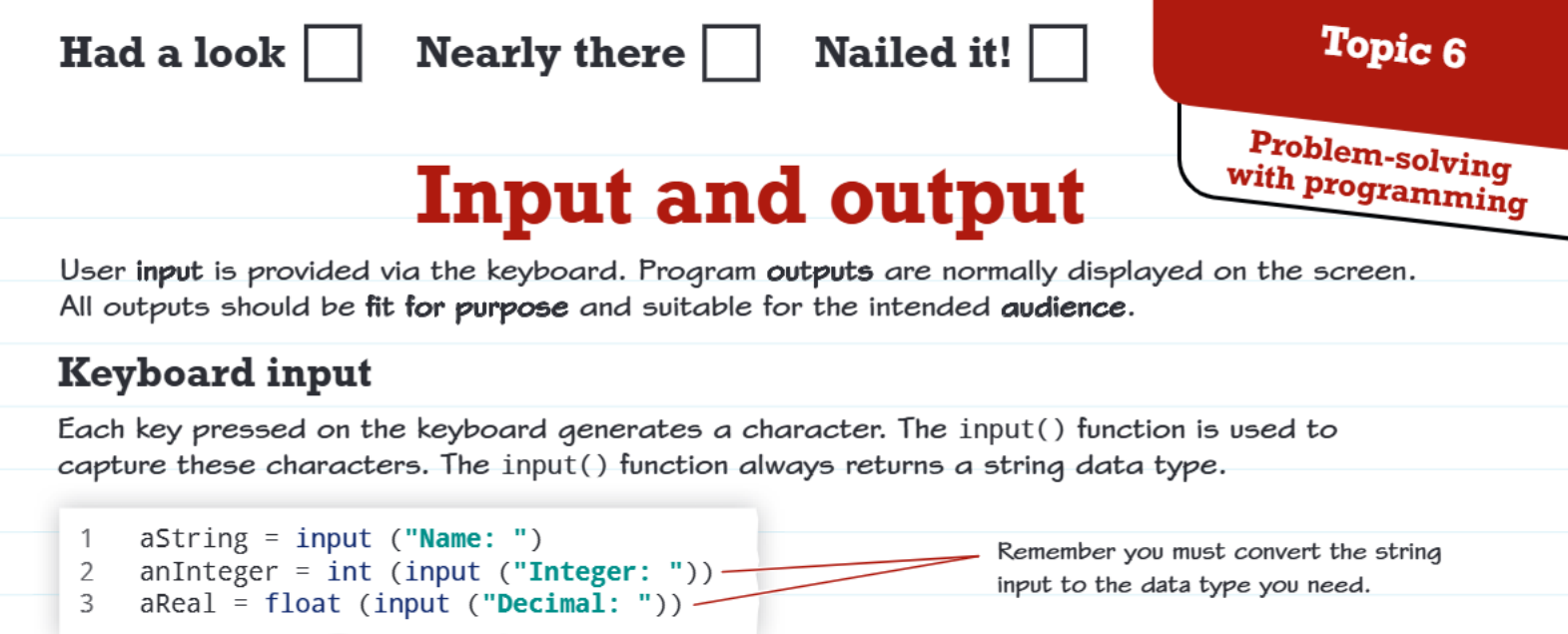
Every time someone presses a key on the keyboard, it creates a character that your programme can capture. In Python, we use the input() function to collect these characters and store them for use in our programme.
Important
The input() function always gives you back text (called a string in programming), no matter what the user types. Even if someone types the number 42, your programme receives it as the text "42", not as a mathematical number.
Converting input to the right data type
Since input always comes as text, you often need to convert it to the type of data you actually need. Here are the most common conversions:
Example
Basic Input and Conversion Examples
# Getting text input (no conversion needed)
name = input("Enter your name: ")

# Converting text input to a whole number
age = int(input("Enter your age: "))

# Converting text input to a decimal number
height = float(input("Enter your height: "))
Note
Exam tip: Always remember that you must convert string input to the data type you need for calculations or comparisons!
Displaying output to users
Once your programme has processed information, you need to show results to the user. The print() function is your main tool for displaying output on the screen.
Basic output with print()
The print() function can display any type of data directly to the user's screen. You can show single values, multiple values, or combine different pieces of information.
Example
Basic Output Examples
# Printing single values
print(name)
print(age)

# Printing multiple values (creates spaces between them)
print(name, age)

# Combining text and numbers using string conversion
print(name + " is " + str(age) + " years old")
Making output look professional
To create better-formatted output, you can use string concatenation (joining text together) and the str() function to convert numbers to text when needed. This gives you more control over exactly how your output appears.
Creating organised table output
For more complex programmes, you might want to display information in neat, organised tables. Python's string formatting tools make this possible and professional-looking.
Using string formatting for tables
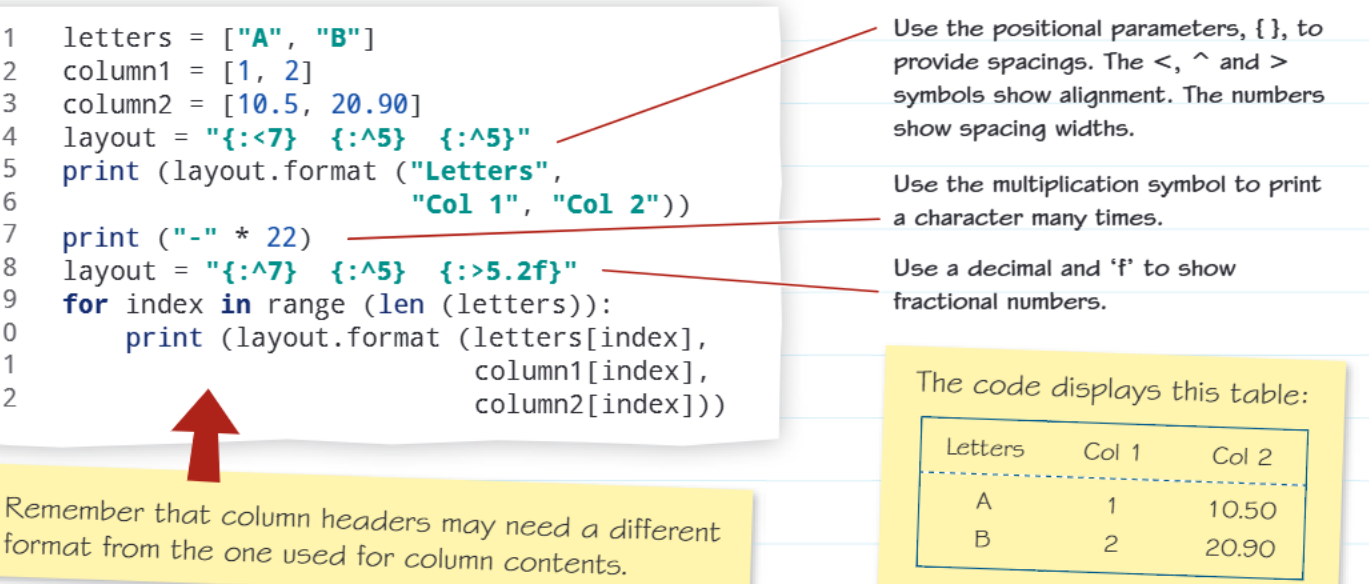
The .format() method allows you to create customised output with precise control over spacing and alignment. This is especially useful when displaying data in columns.
Example
Table Formatting with .format() Method
# Setting up data
letters = ["A", "B"]
column1 = [1, 2]
column2 = [10.50, 20.90]

# Creating a layout template with positional parameters
layout = "{:<7} {:<5} {:<5}"

# Printing headers and data
print(layout.format("Letters", "Col 1", "Col 2"))
print("-" * 22)  # Creates a divider line

# Using a loop to display each row
for index in range(len(letters)):
    print(layout.format(letters[index], column1[index], column2[index]))
Understanding alignment symbols
The formatting system uses special symbols to control how text appears in each column:
- < aligns text to the left
- ^ centres text
- > aligns text to the right
- Numbers after the symbol set the column width
For decimal numbers, you can use formats like {:>5.2f} to show exactly two decimal places in a right-aligned column that's 5 characters wide.
Note
Key formatting tips
- Column headers might need different formatting than the data itself
- Use multiplication (*) to repeat characters for divider lines
- Consistent column widths make tables easier to read
- Consider your audience when choosing how much precision to show in decimal numbers
Real-world applications
These input and output skills are fundamental for creating interactive programmes. Whether you're building a calculator, a quiz game, or a data analysis tool, you'll need to:
- Collect user preferences and data
- Process that information
- Present results clearly and professionally
The formatting techniques you learn here will make your programmes look polished and user-friendly, which is especially important in GCSE coursework and exams.
Summary
Key Points to Remember:
- The input() function always returns a string, so convert to the data type you need
- Use int() for whole numbers, float() for decimals, and str() to convert back to text
- The print() function displays output to the user's screen
- String formatting with .format() creates professional-looking tables and organised output
- Alignment symbols (<, ^, >) control how text appears in formatted columns