Tools & Facilities in IDEs (OCR GCSE Computer Science): Revision Notes
📚Revision Notes
Tools & Facilities in IDEs
An Integrated Development Environment (IDE) is a software application that provides a comprehensive set of tools to help programmers develop software efficiently. IDEs typically offer a variety of features aimed at simplifying code writing, debugging, and testing. Below are the common tools and facilities available in most IDEs:
Editor
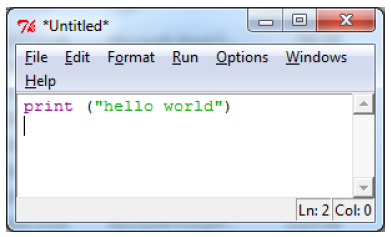
The editor is where programmers write and modify their code. IDE editors often come with advanced features such as:
- Syntax highlighting: Color-coding of keywords, variables, and data types to improve readability.
- Auto-indentation: Automatic formatting to maintain consistent code structure.
- Code suggestions: Autocompletion for functions, variables, or methods to save time and reduce errors.
Run-time Environment
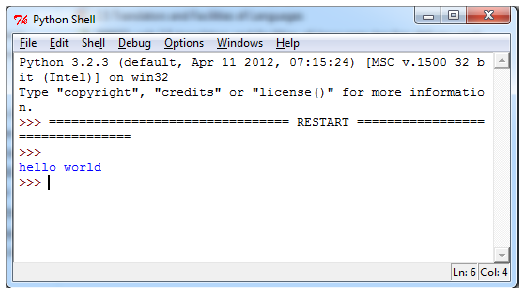
This tool allows the code to be executed within the IDE as it is being developed. It provides a platform to test the functionality of a programme in real-time and ensures that the programme behaves as expected in a controlled environment.
Developers can:
- Test sections of code during development.
- See the programme's behaviour immediately after changes are made.
Translators (Compiler and Interpreter)
- The IDE typically includes one or more translators (a compiler, an interpreter, or both) that convert high-level programming code into machine code.
- Compiler: Translates the entire code into machine code before execution.
- Interpreter: Translates and executes code line by line.
- This allows the programme to be run and tested during the development process, enabling the developer to check how the programme works on the target machine.
Error Diagnostics
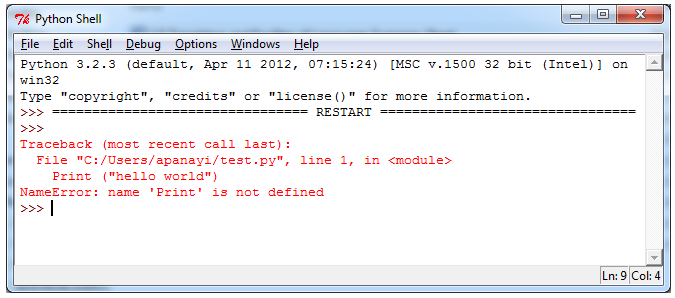
IDEs provide robust error diagnostics tools that help identify syntax errors, logical errors, or potential bugs in the code.
Some features include:
- Error messages: Provide detailed information about what went wrong and where the error occurred.
- Debugging tools: Allow developers to step through the code line by line to find and fix errors.
How These Tools Help Programmers
- Editors: Make writing and editing code more efficient by reducing syntax errors and improving readability.
- Run-time Environments: Provide a controlled space for testing code while it's still being developed, enabling faster iteration.
- Translators: Ensure that code can be converted into machine-readable instructions for execution, supporting both development and deployment.
- Error Diagnostics: Help detect and fix bugs early in the development process, making it easier to produce error-free, high-quality software.
Note
Key Points to Remember
- Editors, run-time environments, translators, and error diagnostics are essential tools in an IDE that help streamline coding, testing, and debugging processes.
- Editors offer features like syntax highlighting and code suggestions to improve efficiency and reduce coding errors.
- Error diagnostics and debugging tools are vital for identifying and fixing errors, ensuring smoother programme development.