Networks: An Overview (Grade 12 NSC Matric Computer Application Technology): Revision Notes
📚Revision Notes
Networks: An Overview
What is a network?
A network consists of multiple independent computers that have been linked together using either physical cables or wireless connections. Think of it as a way for computers to "talk" to each other and share resources.
Note
Understanding networks is fundamental to modern computing. Every time you connect to WiFi, share a printer, or access the internet, you're using network concepts that we'll explore in this overview.
From your previous studies, you've already learned about home and personal area networks. Now we'll explore how networks function on a larger scale and their importance in our daily lives.
Local area networks (LANs)
A local area network (LAN) connects computers within a small geographical area, such as your home, school, or office building. These networks allow connected devices to share valuable resources including:
- Internet connections
- Printers and scanners
- Server connections
- Files and folders
LANs typically connect between 2 and 25 computers, though there's no strict upper limit. The key characteristic is that all devices are located relatively close to each other and can communicate directly.
Note
The "local" in LAN doesn't just refer to physical proximity - it also means the network is usually owned and managed by a single organisation or individual, giving them complete control over the network's configuration and security.
Why do we use networks?
Networks have become incredibly powerful tools that both businesses and individual users rely on daily. Here are the main purposes networks serve:
- Sharing data and information - Users can access files stored on other computers
- Sharing hardware - Multiple users can use the same printer or scanner
- Storing information - Centralised storage on servers everyone can access
- Providing access to entertainment - Streaming services, online gaming, social media
- Providing access to services - Email, cloud storage, online banking
- Connecting people - Video calls, messaging, social networking
Wide-area networks (WANs)
A wide-area network (WAN) extends far beyond the boundaries of a single building. WANs can cover neighbourhoods, entire cities, countries, or even span the globe.
WANs work by connecting multiple LANs together. For example, a large company might have separate LANs in different office locations, then connect these LANs via satellites or telecommunication networks to create one large WAN. This allows employees in different cities to share resources and communicate as if they were in the same building.
Important
Unlike LANs, many WANs are not privately owned. Instead, they're often organised and maintained by telecommunications companies or internet service providers. This means you typically pay for WAN access rather than owning the infrastructure.
Equipment needed to connect to a network
To set up any network connection, you need three main types of equipment:
1. Network adapter
This hardware component allows a computer to connect to a network. Modern laptops typically have network adapters built into their motherboards, but older desktop computers might need separate adapters installed.
2. Network cables
These physical cables carry data between computers and networks. The type of cable you need depends on your internet connection - for example, DSL phone lines require different cables than fibre-optic connections.
3. Hubs, switches or routers
These devices allow multiple computers to connect to the same network. They also enable different networks to connect with each other, expanding connectivity options.
Important
Essential Network Setup Requirements: Remember that without all three components working together, your network connection won't function properly. Each piece serves a specific purpose in establishing and maintaining network communication.
Setting up wired vs wireless networks
Wired networks
For a wired network, you need all three types of equipment mentioned above.
Example
Worked Example: Powerline Network Setup
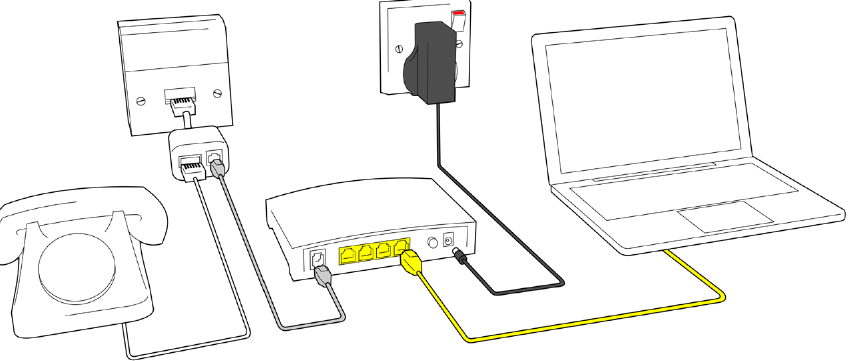
The diagram above shows how you can set up a wired connection using powerline adapters:
Step 1: Connect one powerline adapter to your router via Ethernet cable
Step 2: Plug the adapter into a wall electrical outlet
Step 3: Plug the second adapter into an outlet in another room
Step 4: Connect your device to the second adapter via Ethernet cable
This setup uses your home's existing electrical wiring to extend internet connectivity to different rooms.
Wireless networks
Wireless networks are simpler to set up, requiring only two components:
-
Wireless network adapter - Similar to regular network adapters, but these connect to wireless signals rather than cables. Most modern notebooks and smartphones have these built-in, while desktop computers usually don't.
-
Wireless router or access point - This device broadcasts the wireless signal that your devices connect to.
Note
If you don't need internet access, you could use a wireless access point (WAP) instead of a router. A WAP allows wireless devices to connect to each other locally but doesn't provide internet connectivity.
The internet as an example of a WAN
The internet represents the largest WAN in existence - a computer network connecting billions of devices worldwide. It enables people to share information, access entertainment, and communicate with others across the globe.
How does the internet work?
The internet functions as a global network of networks. Many different networks in countries around the world are all connected together to form one massive WAN.
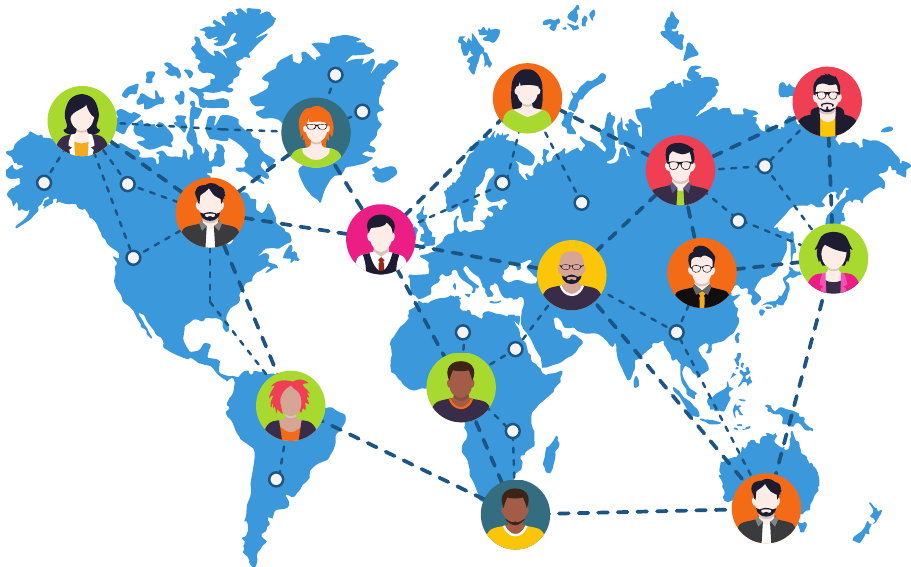
When you connect to the internet, you're actually connecting through an Internet Service Provider (ISP). The ISP provides access to their network, which then connects to the broader internet. Users can connect to their ISP through various methods including telephone lines, wireless connections, or other standard networking approaches.
Understanding protocols
Data transmission across networks follows specific rules called protocols. A protocol is essentially a set of guidelines that determines how information travels between different devices.
Here are some common internet protocols you should know about:
- File Transfer Protocol (FTP) - Used for transferring and managing files across the internet
- Hyper-Text Transfer Protocol (HTTP) - The standard protocol for sending and receiving web pages
- HTTP Secure (HTTPS) - A secure version of HTTP used mainly for e-commerce and sensitive transactions
- Internet Message Access Protocol (IMAP) - Handles email messages on internet servers
- Post Office Protocol version 3 (POP3) - Used by email programmes to retrieve messages from remote servers
- Simple Mail Transfer Protocol (SMTP) - Manages email message transmission across the internet
- Email Client Protocol - Enables communication between email programmes and email servers
- Voice over Internet Protocol (VoIP) - Allows voice calls to be transmitted over the internet
Note
Each protocol serves a specific purpose in network communication. You'll learn more about these protocols and internet services in upcoming units, where we'll explore how they work together to enable modern internet functionality.
Remember!
Summary
Key Points to Remember:
- Networks connect independent computers to share resources and communicate with each other
- LANs cover small areas like homes or offices, while WANs span large geographical regions
- Three main types of network equipment are needed: adapters, cables, and hubs/switches/routers
- Wireless networks require fewer components than wired networks (just adapter and router/access point)
- The internet is the world's largest WAN, connecting billions of devices globally through ISPs and protocols