Von Neumann Architecture (AQA GCSE Computer Science): Revision Notes
📚Revision Notes
Von Neumann architecture
What is systems architecture?
A computer system is made up of both hardware and software that work together to process information. Think of hardware as all the physical parts you can touch (like the processor, memory, and keyboard), while software refers to the programmes and instructions that tell the computer what to do.
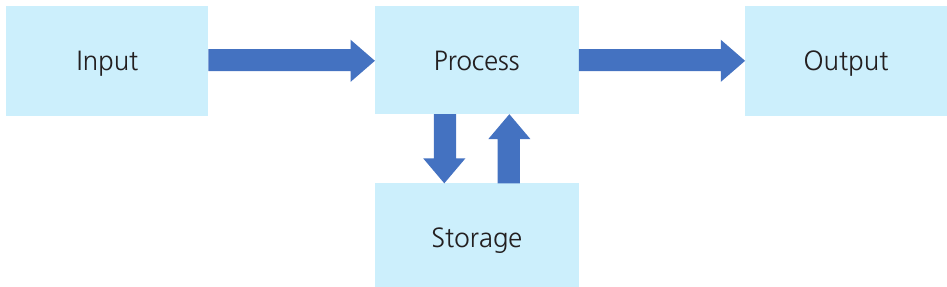
Every computer system follows a basic pattern of operation that we can remember as Input → Process → Output, with Storage supporting the process step.
Note
This Input-Process-Output-Storage model is fundamental to understanding how all computer systems operate, from simple calculators to supercomputers.
This simple model shows how computers work:
- Input: Data enters the system (from keyboard, mouse, sensors, etc.)
- Process: The CPU works on this data following programme instructions
- Output: Results are produced (on screen, printer, speakers, etc.)
- Storage: Information is saved and retrieved as needed during processing
Understanding Von Neumann architecture
Von Neumann architecture is the fundamental design concept that almost all modern computers use today. It's named after John von Neumann, who helped develop this design in the 1940s.
The key concept
Important
The most important thing about Von Neumann architecture is that both programme instructions and data are stored in the same memory space. This means the computer keeps your programme code and your actual data (like numbers, text, images) all mixed together in memory, and it can't tell them apart just by looking at them.
How does this work in practice?
Here's where it gets clever - everything in the computer's memory is stored as binary codes (patterns of 1s and 0s). When the CPU needs to process something, it has to figure out whether each binary code represents:
- An instruction (telling it what to do, like "add two numbers")
- Data (actual information, like the number 9)
Example
Worked Example: Binary Code Interpretation
The binary code 1001 might mean "add a number to the accumulator" OR it might represent the value 9.
How the CPU decides:
- The CPU uses the logic of the programme sequence
- It follows the order of operations
- It interprets each code based on context and programme flow
This is why the same binary pattern can have completely different meanings depending on when and where the CPU encounters it!
Components of a CPU
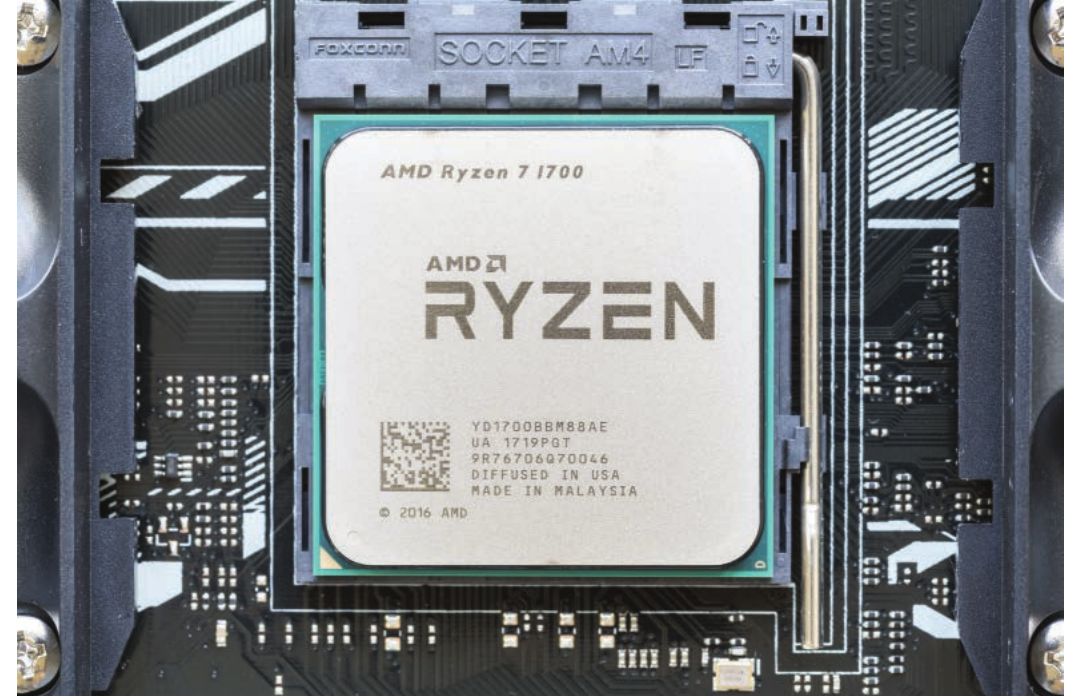
The CPU (Computer Processing Unit) is the brain of the computer and consists of billions of tiny electronic switches called transistors. These transistors work together to create logic circuits that can process data and follow instructions.
Arithmetic Logic Unit (ALU)
The ALU handles all the mathematical and logical work that the CPU needs to do:
Note
The ALU is essentially the CPU's calculator and decision-maker, performing all the actual computational work that makes programmes run.
- Arithmetic operations: Basic maths like addition, subtraction, multiplication, and division
- Logical operations: Comparisons and logical functions like AND, OR, NOT, and checking if values are equal, greater than, or less than each other
- Binary shift operations: Moving the binary digits in a number left or right (which is actually a quick way to multiply or divide by 2)
The ALU is like the CPU's calculator - it does all the actual number crunching and decision-making based on the programme instructions.
Control Unit (CU)
The Control Unit is like the conductor of an orchestra - it coordinates everything that happens in the CPU. Its main jobs are:
- Fetching and decoding instructions from memory
- Sending control signals to direct how data moves between different parts of the CPU and memory
- Making sure instructions are executed in the correct order and at the right time
Important
Without the control unit, all the other parts of the CPU would just sit there doing nothing! It's the component that brings everything together and makes the computer actually work.
Clock
The clock is a vibrating crystal that generates electrical pulses at an incredibly steady rate. Think of it as the CPU's metronome - it keeps everything synchronised and working at the same pace.
Modern computers typically run at speeds of several GHz (gigahertz), which means billions of pulses per second. A 4 GHz processor can potentially handle 4 billion instructions every single second! The clock ensures that all parts of the CPU work together in perfect timing.
Note
The clock speed is one of the main factors that determines how fast a computer can process information. However, it's not the only factor - the CPU's architecture and efficiency also play crucial roles in overall performance.
Remember!
Summary
Key Points to Remember:
- Von Neumann architecture stores both instructions and data in the same memory space - the CPU has to figure out which is which
- The Input-Process-Output-Storage model describes how all computer systems work
- The ALU does all the maths and logical comparisons
- The Control Unit coordinates and controls everything in the CPU
- The clock keeps everything synchronised at incredibly high speeds
- Modern CPUs contain billions of transistors working together as logic circuits