Technical vulnerabilities (Edexcel GCSE Computer Science): Revision Notes
📚Revision Notes
Technical vulnerabilities
What are technical vulnerabilities?
A technical vulnerability is like a weak spot in a computer system - it's a hardware, software, or setup problem that makes it much easier for hackers to break in and cause damage. Think of it like a broken lock on your front door that makes your house an easy target for burglars. In computing terms, these weak spots are also called security holes.
Understanding these vulnerabilities is crucial because hackers actively look for and exploit these weaknesses to gain unauthorised access to systems, steal data, or cause disruption.
Note
Technical vulnerabilities represent the most common attack vectors used by cybercriminals. By understanding these weaknesses, you can take proactive steps to protect your systems and data from potential threats.
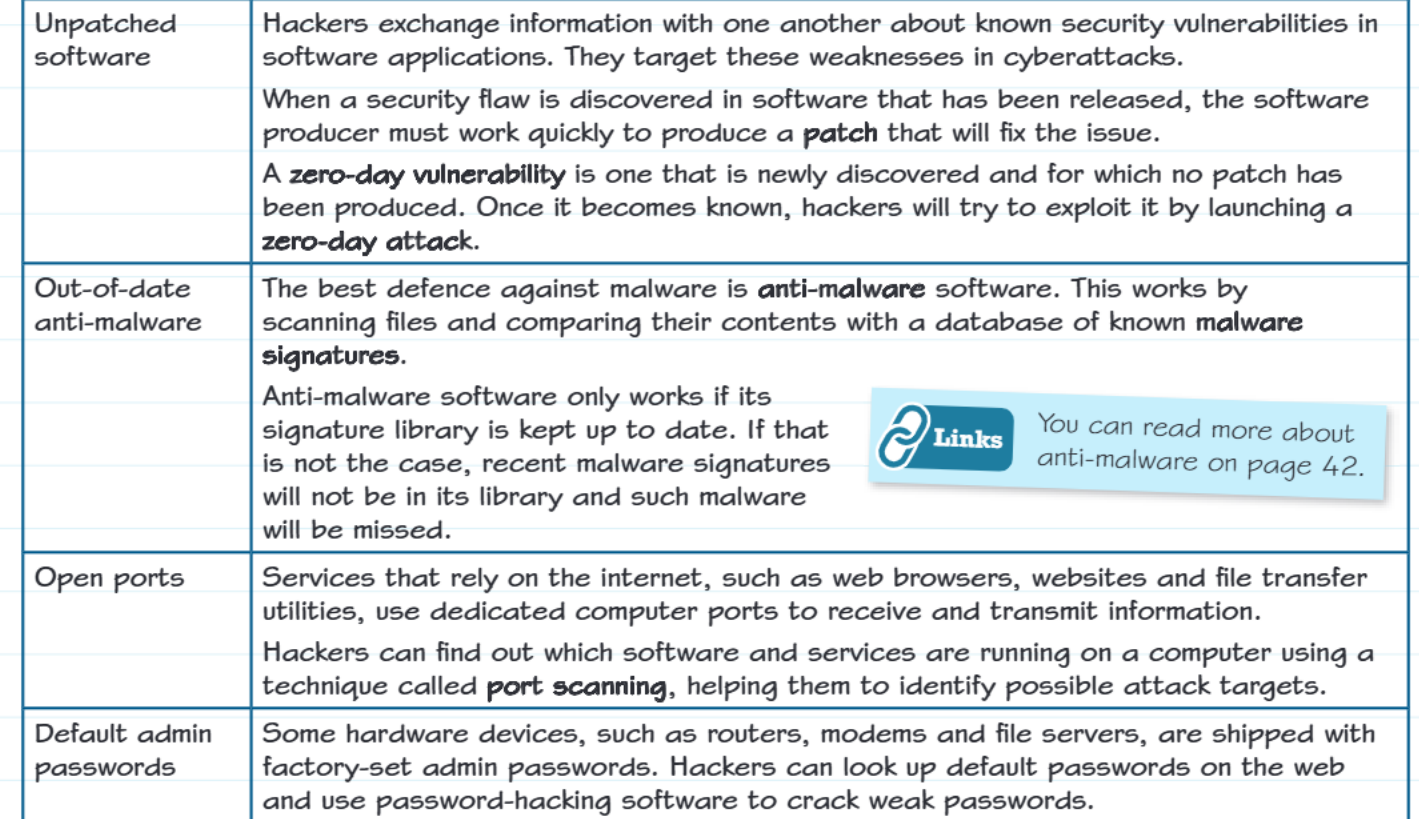
The four main types of technical vulnerabilities
Unpatched software
When security experts discover a flaw in software, the software company needs to create a patch (basically a fix) to close that security hole. However, there's often a time gap between when the flaw is discovered and when the patch is released and installed.
During this vulnerable period, hackers share information about these known security weaknesses and target systems that haven't been updated yet. This is particularly dangerous with zero-day vulnerabilities - these are newly discovered security flaws where no patch exists yet. Once hackers learn about a zero-day vulnerability, they race to exploit it by launching zero-day attacks before the software can be fixed.
Important
Zero-day vulnerabilities are especially dangerous because there's no defence against them until a patch is developed. This makes keeping your systems updated absolutely critical for security.
Example
Real-world Example: Browser Security Flaw
Imagine a popular web browser has a security flaw that allows hackers to access your personal files. Until you install the browser update that fixes this problem, your computer remains vulnerable to attack.
This scenario demonstrates why automatic updates are so important for maintaining system security.
Out-of-date anti-malware software
Anti-malware software works like a security guard for your computer - it scans files and compares them against a database of known malware signatures (unique patterns that identify malicious software). However, this protection only works effectively if the signature database stays current.
When anti-malware software becomes outdated, it can't recognise new types of malware because their signatures aren't in its database yet. This leaves systems exposed to recently created viruses, trojans, and other malicious programmes that the outdated software simply can't detect.
Note
Key point: Anti-malware software needs regular updates to remain effective - it's not a "set it and forget it" solution. Think of malware signatures like a criminal database that needs constant updating with new threats.
Open ports
Computer ports are like doorways that allow different services and applications to communicate over the internet. Web browsers, email programmes, and file transfer tools all use specific ports to send and receive information.
The problem arises because hackers can use a technique called port scanning to discover which ports are open on a target computer. This reconnaissance helps them identify what software and services are running, essentially giving them a map of potential entry points for their attacks.
Note
Think of it this way: If ports are like doors and windows in your house, port scanning is like a burglar walking around your property checking which ones are unlocked.
Default admin passwords
Many hardware devices like routers, modems, and servers come from the factory with pre-set administrator passwords. These default admin passwords are often simple, well-known combinations like "admin/admin" or "password123".
The security risk is enormous because these default passwords are publicly available - hackers can easily find lists of common default passwords online. They can then use specialised password-cracking software to systematically try these known combinations against target systems.
Important
Critical mistake: Many users never change these default passwords, leaving their systems completely exposed to attack. Always change default passwords immediately when setting up new devices.
Practical security scenarios
Example
Worked Example: Automatic Updates Analysis
Let's examine a practical scenario: Alex sets his laptop to automatically download and install updates. This is excellent security practice because:
- Software companies regularly release patches to fix newly discovered security vulnerabilities
- Automatic updates ensure Alex's system stays protected against the latest threats
- By installing updates immediately, Alex minimises the window of opportunity for hackers to exploit unpatched vulnerabilities
- This proactive approach significantly reduces the risk of malware infections and cyber attacks
Example
Common Exam Scenario: Anti-malware Failure
Even with anti-malware software installed, Alex's laptop gets infected with a virus. The most likely explanation is that his anti-malware software had outdated signature databases.
New malware appears constantly, and if the anti-malware software hasn't been updated recently, it won't recognise the latest threats. This highlights why both software updates AND anti-malware updates are essential for comprehensive protection.
Summary
Key Points to Remember:
- Technical vulnerabilities are like unlocked doors - they make it easy for hackers to break into systems
- The four main types are: unpatched software, outdated anti-malware, open ports, and default passwords
- Zero-day attacks exploit newly discovered flaws before patches can be created and applied
- Regular updates are your best defence - both for your operating system and anti-malware software
- Always change default passwords on any new device or system you set up